


|
|
 In English
 Suomeksi
KB-1BT

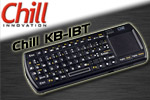
KB-1BT has 71 backlighted keys and a touchpad that replaces a mouse. On the upper side of the keyboard there are media keys that are very useful when you’re using the keyboard with HTPC.
On the left side there are left and right mouse buttons. When pressing the function key the left mouse button turns the operating direction and right mouse button lights up the backlighting.
The key next to the Esc key turns the Bluetooth transmission on and starts finding devices.


There’s not much to see behind the device. On the right side there is a sticker with technical specifications. On the upper edge there is a removable Bluetooth USB dongle that can be plugged to the PC. When the Bluetooth USB dongle is removed from the keyboard you can put a dummy dongle to the keyboard.


On the bottom edge there are USB connector for recharging and next to the USB connector there is a switch for LED light that is on the right end of the keyboard. On the left end there is the power connector.
 | Pages: 1 2 3 |  |
 Content in english!
 Sisältö suomeksi!
