For me, Google Earth and Google SketchUp have been the most important ones. They both are supported by the
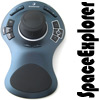
SpaceExplorer and boy, does the 3D controller improve the usability of them both. One can literally fly around the globe
in the Google Earth. It is so easy to zoom around the maps and pan from place to place. It is so easy to move from point
to point, angle to angle so after you try it, you'll never walk away.
Most users will place the controller on the side of the keyboard where the mouse is not located. This maximizes the
usability and just feels... well, natural. I took this video to demonstrate the usage a bit better. You'll notice that my
left arm and fingers are not moving that much. I like to keep the sensitivity of the SpaceExplorer high so even the sligtiest
of move results in a fast movement on the screen.
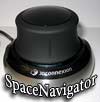
SpaceExplorer really takes a leap forward compared to the SpaceNavigator that we reviewed earlier. Don't get me wrong
here, SpaceNavigator has the exactly the same 6-axis controller on it but it lacks the added usability that only those
extra buttons on the SpaceExplorer bring. It is great to be able to keep holding the SpaceExplorer controller even while
designing with a mouse. If you need to press control keys, shift etc. that would normally need a keyboard, you can handle
then directly from the 3D controller.
You can have a lot of fun with the 3D controllers from the 3DConnexion even if you are not a designer or an engineer. I
find myself time and again playing with the Google Earth. This
makes these controllers a valuable tool for example for education. Boys and girls, children and adults will enjoy them
equally.
If you are a CAD designer or indeed an engineer, I believe you have just realized what you have been missing from your
desktop. I'm pretty sure that you can convince your boss to order one of these controllers for you as the productivity boost
is easy to see. Intuitive, fast and precise control at your fingertips - you know you want it!


 In English
 Suomeksi




 Content in english!
 Sisältö suomeksi!
