


|
|
 In English
 Suomeksi
Appearance

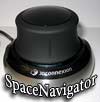
The top part of the SpaceNavigator is domitated by the rubberized cap. You grab it with your fingers and push/pull/rotate/twist it as you like. In previous models this part used to be shaped like a ball but I believe this design is better. Don't know exactly why as I haven't tested those "ball versions" but with this design, your fingers just wrap around the controller so easily and effortlessly. Grip feels very natural and firm.
For the most users the SpaceNavigator would be sitting on the opposite side of the keyboard to the mouse. Your one hand would use the mouse like usually but the other hand would rest on the control knob of the Navigator. This way one can move around the object with the help of the SpaceNavigator and also modify the object by using the tools via the mouse.

The base is made out from metal. It increases the weight of the controller so that one can make zooms and do pans without moving the base around the table top. Weight of the SpaceNavigator totals to 479 grams. And believe me, with controller like this, overweight is better than underweight.

3DConnexion installed a rubber ring that goes around the base to futher improve the stability of the product. It also protects the table top from scratches that might occur if the controller is pushed so hard that it slides.
 | Pages: 1 2 3 4 |  |
 Content in english!
 Sisältö suomeksi!
