


|
Cig@r Drive
You need to take some important files with you. They don't fit to floppy disks and you don't have the time to start burning a CD or you don't have the drive for it. Try this new Cig@r Drive from Soyo. Just plug it in to USB connector and if you are using Windows 2000 or XP you don't need to install any drivers. Just start using it.
Package

Package

Inside
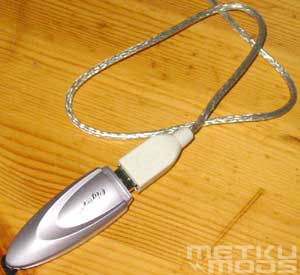
Inside the package you'll find a Cig@r Drive, USB extension cable, Neckstrap and driver & manual CD.

Cig@r Drive
Technical specifications:
| Dimension | 9.15 x 2.4 x 1.4 cm (L x W x H) |
| Weight | 17.5 g |
| Capacity | 16MB, 32MB, 64MB, 128MB, 256MB, 512MB, 1GB |
| USB Interface | USB Spec. 1.1 |
| Power Supply | USB bus – Powered (4.5 V ~ 5.5 V) |
| Operating System Supported | Windows XP, 2000, ME, 98, 98SE; Mac OS 8.6 or Higher |
| Operating Temperature | 0 ~ 45 °C |
| Data Retention | 10 years |
| Life span | read / write for one million times |
| Storage type | Flash memory |
| Data Reading Speed | 700 ~ 800 Kbytes / sec |
| Data Writing Speed | 400 ~ 500 Kbytes / sec |
| Suspend Current | < 300 uA |
| Operating Current | < 40 mA |
Installation

Installing the drive
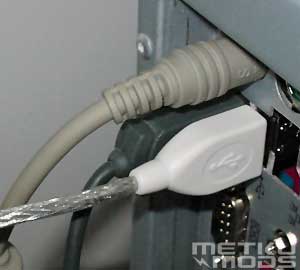
I had some problems while installing the drive to USB connector. Cig@r drive was slightly too thick to be connected next to another plugged connector. This is one of the reasons why they ship this drive with an extension cable. Just plug it in first and you can have many advantages. You don't have to reach behind your computer any more and other connectors won't get in your way.
 |
 |
Benchmark

Drive properties
When you plug in the Cig@r Windows will see it as a removable disk. It will be allocated to a next free drive letter. Windows 2000 and XP will do this without any driver installations but with Windows 98 you'll need a separate driver that is supplied with the driver CD.
Let see how well the drive performs tested with Sisoft Sandra 2002 professional.

File system benchmark
The Cig@r drive is 13 times faster than a regular floppy drive. It even outperforms ZIP drive by 200 kB/s.
Security
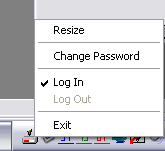
With a drive like this you have to have possibility to make it secure. You can lose the drive or somebody can steal it etc. To prevent valuable data to be used by a wrong person you can assign a part of the drive or all of it's storage capasity as a security data zone. You can then access this area by clicking the tray icon and entering your password.
 |
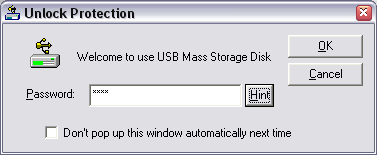 |
You have possibility to create, resize and delete these zones when ever you like but it will destroy all the data that might be in the drive at the moment. Just remember to move all the valuable data to safe place before doing this.

Resizing the zones
Conclusions
Cig@r Drive is the first drive to introduce 1GB mobile storage capacity. With this drive you can move your mp3 songs, digital images and presentations with ease. No drivers needed for newer operating systems and because this drive so small and can fit to almost everywhere you don't even notice that you are carrying it. Be carefull not to lose it. You can find additional programs from CigarUSB site. At the time there are programs available for encryption, compression etc.
Pros and Cons
+ Small
+ No drivers needed (depending on OS.)
+ Possibility to secure the data
+ Capacity range to choose from
- No USB2.0 support
Additional information
 |
 |
 Content in english!
 Sisältö suomeksi!
