


|
|

 In English
 Suomeksi
In Use - Hardware
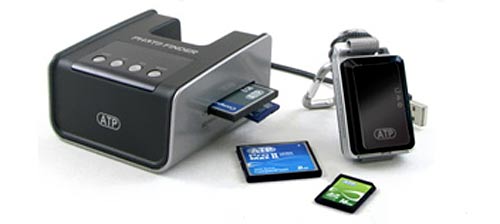
Photo copyright ATP
Using the GPS logger couldn't be easier. You just press the power button for few seconds and it starts logging the data. Then just keep it with you and then power it off when it's no longer needed.
Syncronizing the GPS-data to the images is pretty straight forward as well. Just plug the logger and the used memory card to the dock, answer "YES" to a couple of questions and you have a memory card full of images with coordinates in their EXIF-data. The manual reminds to back up the images before synchronizing the GPS-data because data corruption may occur and after having an experience of dead JPGs, I can warmly recommend this approach as well.
In Use - Software
Google Picasa
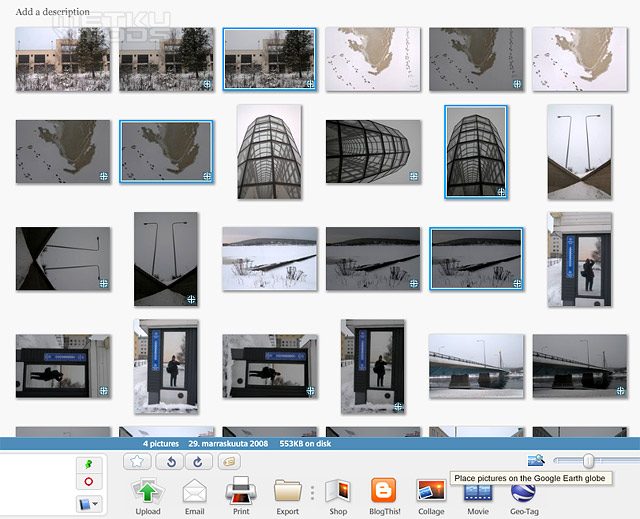
Picasa is a handy multi-purpose program that, beside many other features, can also do geo-tagging. The Geo-tag feature less surprisingly is based on Google Earth and works fairly well. First you select the photos you want to place on a map and then just click the "Geo-tag" button from the bottom bar. This automatically opens a Google Earth-view where the images get placed according to the GPS-data one by one. As with all map apps, you can also fine tune the location manually.
Everytrail
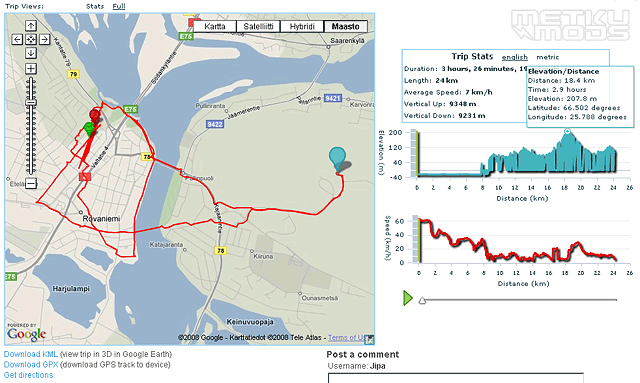
Everytrail is again an online-based app where you can upload not only your images, but also the actual GPS-data from the logger. You can also use images uploaded to Flickr on your trails. This service can use the .txt-files form the GPS-logger straight away and can also turn them into .kml-file that again can be directly moved into Google Earth. The docking station is also supposed to be capable of generating a .kml-file, but this feature seems to be somewhat flawed so far.
Locr
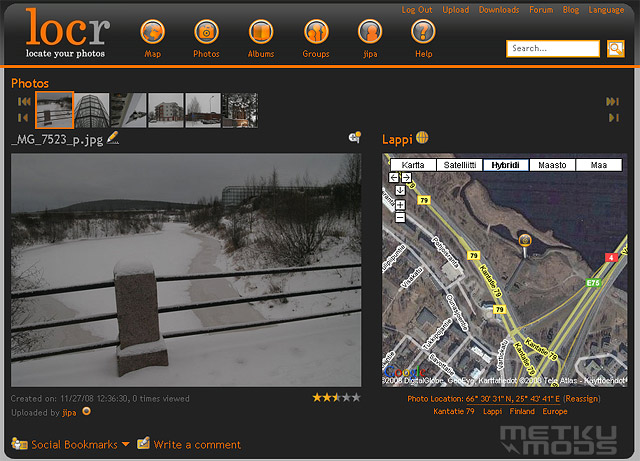
Locr is an online system that in Geo-tagging works similarily with the Picasa. You upload the images and it automatically places them on a map. This placing works nicely and you can select if the images appear as public, friends only and private. The limitations are 100 MB image uploads a month and the uploading takes its time.
As a conclusion to the software side of things I'd say that the Everytrail's is the easiest solution for mapping the whole route you've taken, but Picasa is the easiest service for putting the photos in the right places. The main thing that differenciates the Picasa from the rest is the fact that you don't need to first upload your images to everywhere. This makes putting them on the map faster.
 | Pages: 1 2 3 4 |  |
 Content in english!
 Sisältö suomeksi!