


|
|

Displays
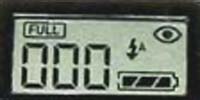
Information display
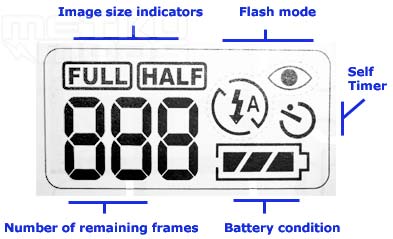
Symbol meanings
This kind of information display is usually the first component that gets stripped off from the cheaper models of cameras. It is nice to see that Concord feels the same as I do; this kind of display can give valuable information about your selected settings and you can see them without turning the main display on. This helps to save batteries. Display isn't lit, so you still may need to use the main LCD, if there isn't enough light to see the information LCD.
Information that the display provides:
- Image Size indicator tells you on what resolution you are currently using to take the photographs.
- Flash Mode indicated the selected flash mode. Auto, Auto with red eye reduction, Off and Forced.
- Self Timer indicates if the self timer -mode is selected or not.
- Number of remaining frames tries to approximate the amount of available frames that you can still take with current settings.
- Battery Condition shows you a rough graph of battery energy left.
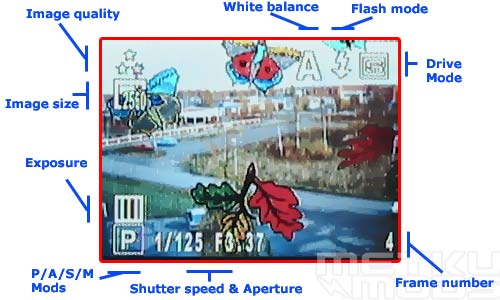
Main LCD
The main LCD contains all the needed information you may need while taking a photo. Shutter speeds and measured aperture, flash mode etc. LCD itself doesn't produce the best images I've seen on different digital cameras. It may actually be the worst one I've seen. It lacks colors and sometimes the colors are way off the correct tone. This makes the setting hard to read in some occasions. While the images displayed on the screen may not be perfect, it is still usable. You can frame the images nicely with it and there is no apparent lag or ghosting visible while panning around. Also because the display contains more data than many other digital camera LCDs, the usability of it increases a lot.
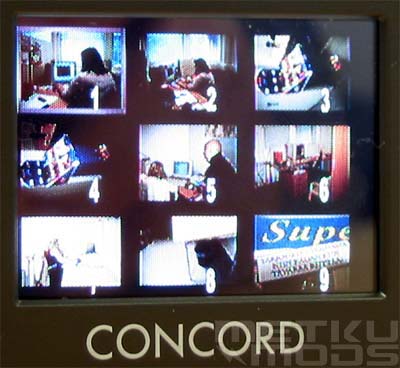
Browsing
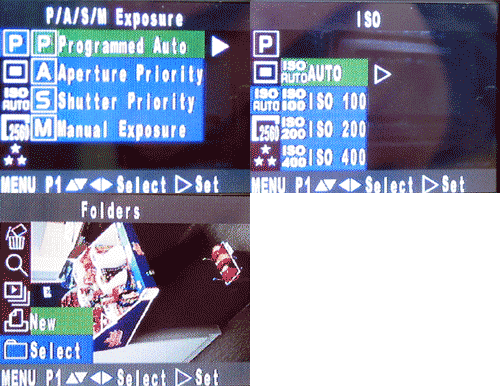
Different modes
Menu mode is accessed by pressing the MENU button that is located on the left side of the display. User can then browse through the different modes with the four-way switch. Selections are made by pressing the four-way switch to the right and user can browse back by pressing left. This makes navigation of the manus easy and quite fast.
Menus can be three levels down in some settings. If you have to make several changes, it can feel frustrating when not all the changes are stored when the camera is powered down. This is why I would like to see the custom mode included to the mode selection wheel; to store all your favourite settings. If you take most of your photos with automated settings, you won't even notice to want this feature nor would you use it.
Image Quality
I decided to use the same test targets that I used in our Trust 910z Powerc@m -review.
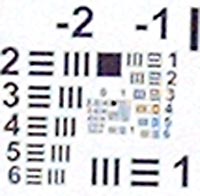
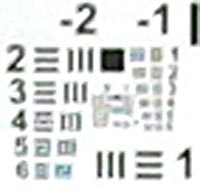
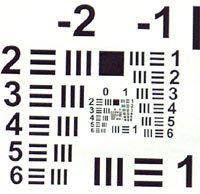
Quality of the optics sensor is tested with USAF 1951 test targets. Cameras are positioned 2.5 meters away from the targets, ISO set to 100 and no flash. One target is positioned on center of the image area and second to the lower right corner. Shutter is released with self timer to eliminate possible camera shake when pressing the shutter release button. Purpose of this test is to indicate the resolution of the sensor and if there are differences in quality when moving towards the edge of the image area.
Center
|
|
|
|
Corner
|
|
|
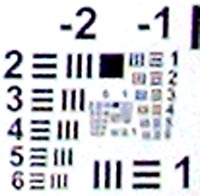
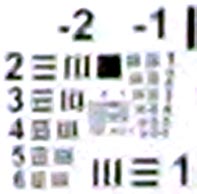
Yes, it is quite unfair to test 5 Megapixel sensor against the 2 Megapixel one. Because I'm not making a round-up here I think that this test can be used to demonstrate the difference of 2 and 5 Megapixel sensors. More pixels naturally offer more resolution and this is why you can make those high quality A4-printouts from Concord's images but not from those that came for Canon's A40. I think that it all comes down to your own needs. If you publish your images on some web pages with resolution of 640x480, you don't need that high sensor resolution in the camera. On the other hand, images with higher starting resolution offer more possibilities for image editing and post processing. Price of these high resolution cameras is getting lower all the time, so having to settle for lower resolution sensor can't be justified by costs alone.
High resolution doesn't necessary offer best images. If you are comparing two cameras with the same sensor; Optics, metering and overall quality of the product plays big part in this game too. That multimegapixel sensor with some small fish-eye lens can produce images that are more useless than the camera with good lens and smaller sensor resolution. Optical distortions or miss metered white balance can ruin the images of any camera, with 2, 3 or 5 Megapixel sensor. What I'm trying to say here is that resolution isn't everything.
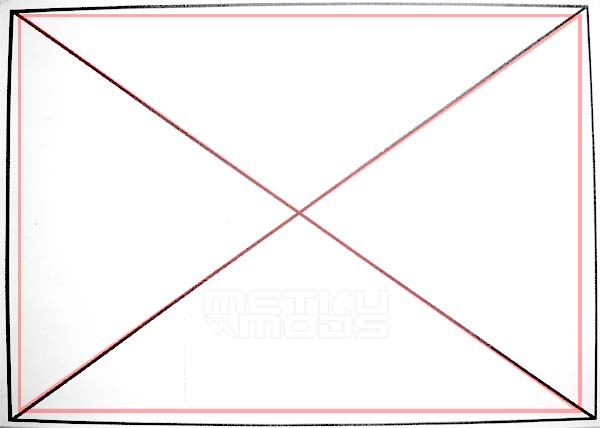
Barrel distortion
I took this image to test how much barrel distortion the lens have in wide zoom. Red rectangle was posted on the image after the taking of the photograph. It shows the shape of the original drawing in bit smaller scale. You can notice that there is fair amount of barrel distortion present. This doesn't matter that much in everyday photographing but if you are taking photographs from some design drawings or architectural sites, the barrel distortion can make those straight lines bend a bit.
 | Pages: 1 2 3 4 5 |  |
 Content in english!
 Sisältö suomeksi!