


|
|

 In English
 Suomeksi
Using the mouse
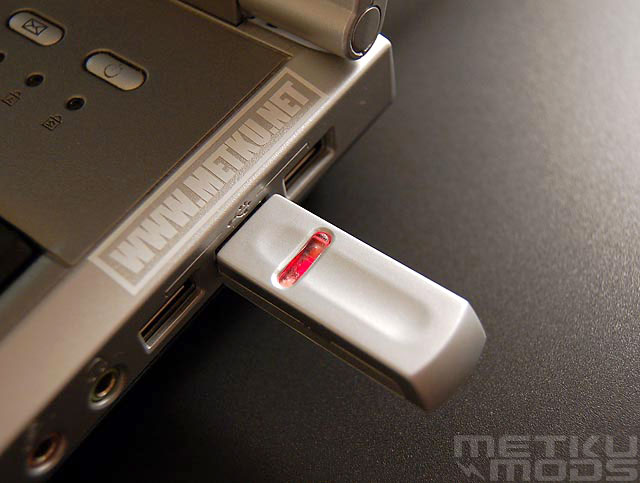
Transmitter
|
Range of the transmitter varies a lot in different directions. Best range is achieved to the usb-connector side of the transmitter, this measures about 150 cm. To the opposite direction the range is only 50 cm. Sadly this is the main work area when using laptop. Of course, if you place the transmitter on the left edge of the laptop, then you have more range to use. So this 'problem' varies depending on the placement of your laptops usb-ports. Before the mouse is totally out of the range, cursor starts to slow down and it is easy to move Gemini back to the range. In the end, the range was not an issue if you work anywhere nearby your computer. Picture shows the red lit area on the transmitter and this really is a button that needs to be pressed when setting up the connection. Connection needs to be re-established when changing batteries. In addition I had the mouse to lock up couple of times and the connection needed to be done again. |
Instantly after installing Gemini, it is clear that this is not the mouse for a serious gamer. Fast moves for example in Counter Strike makes the mouse confused to which direction it is moving. I tried different surfaces, but really fast moves are not for Gemini. Happily there was no noticeable latency even this is an RF mouse. Most of the strategy games and normal windows use goes just OK if you don't mind pretty noisy buttons. Compared to Logitech's mx500, the noise is manifold. Scrollwheel is silent. Operation on different surfaces is OK for a modern optical mouse, just don't dream of using Gemini on top of a mirror.
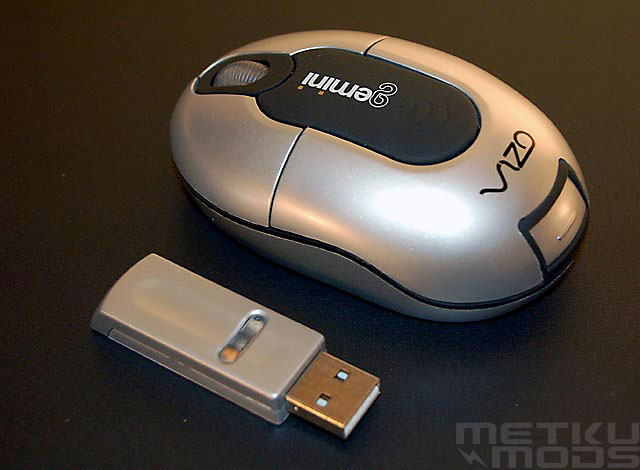
Gemini and the transmitter.
Conclusion

PROS CONS |
As a whole the Gemini RF-mouse did not offer groundbreaking surprises excluding the clever place for storing the usb-transmitter. Discrete transmitters should be banned for now. Mouse really fits in more occassional use and if you are not into games it is really OK. Compared to touchpad of a laptop, working comes faster and more pleasant with Gemini. Still I find it hard to imagine a person really 'wanting' this specific mouse: I think normal wired mouse will fit good enough in a laptop bag and offers the same area to work. Couple of centimeters and ten grams is not reason enough for this mouse to become superior compared to normal mice in laptop use. And remember gaming is not excluded with most of the normal mice as the fact is with Gemini. |
 Questions or comments? Visit MetkuMods forum.
Additional Information
|
Past related articles in MetkuModsReviews:- Ulti-mat Mousepad - Logitech G15 Gaming Keyboard Mods: - GlowPad - World's first lighted mousepad - FireWheel - MouseFan - Chromed mouse |
 | Pages: 1 2 3 |  |
 Content in english!
 Sisältö suomeksi!
