


|
|

 In English
 Suomeksi
ASRock - The board
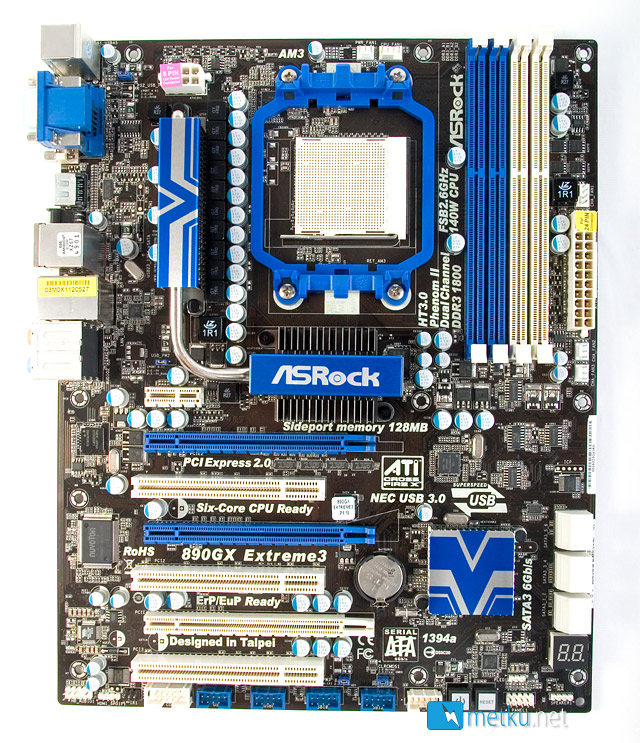
The general layout of the board is very similar to the Gigabyte, but the expansion slots are all different. Asrock has decided to use three PCI-e x16 connectors along with a single PCI-e x1 and three old PCI-connectors. The PCI-e x16-connectors operate at either 16-0-4x or 8-8-4x speed, depending on wether you have one or two graphic cards installed.
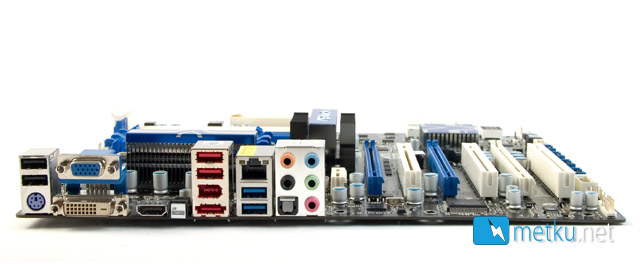
The rear panel connectors feature the same six USB-connectors (two of which USB 3), HDMI, DVI-D, D-SUB, 7.1 channel analog and optical output, gigabit LAN and firewire as the Gigabyte board, but the Asrock also packs a single e-SATA and also features a clear CMOS-button for all the overclockers out there.
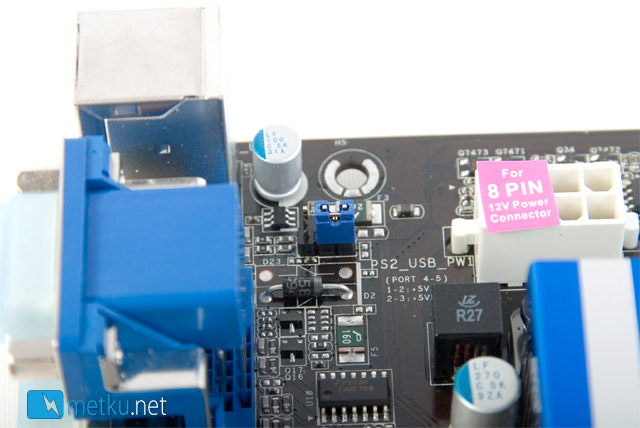
As a small detail there's also a jumper to choose the power line for the PS2/USB-connectors at the top of the board. The choices are the common 5 V line and 5 VSB-line, which means the peripheral connected here will also be powered when the computer is switched off.
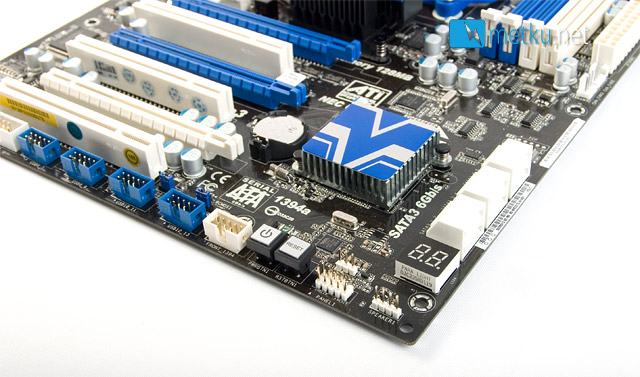
In case the rear I/O connectors aren't enough, there's heaps of additional headers along the bottom edge of the board. That's total of eight USB-connectors, firewire front panel HQ-audio and also a single COM-port. For internal expansion Asrock provides six SATA 3 ports, again mounted to the edge of the board in a 90 degree angle. At the bottom of the board there's also a power and a reset button, as well as a led display. For cooling needs there are two 4-pin and three 3-pin fan connectors.
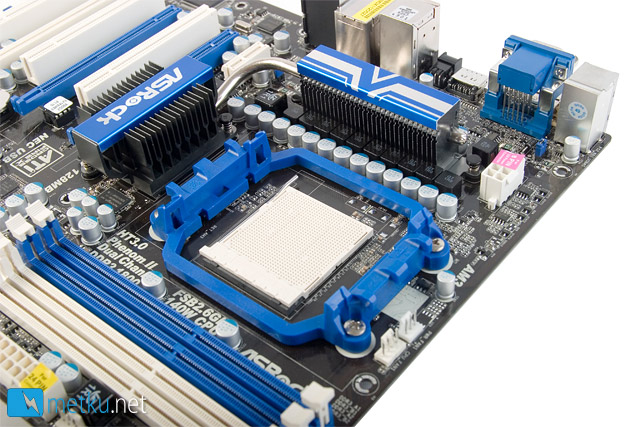
The eight phase voltage regulation means there's plenty of stuff around the CPU socket, but even the heatsinks are so low they shouldn't interfere with most of the large air coolers. The memory slots, on the other hand, come so close to the CPU-socket there will be no room to install memories with tall heat spreaders to the blue slots.
 | Pages: 1 2 3 4 5 6 7 8 9 10 11 |  |
 Content in english!
 Sisältö suomeksi!