


|
|
 In English
 Suomeksi
|
|
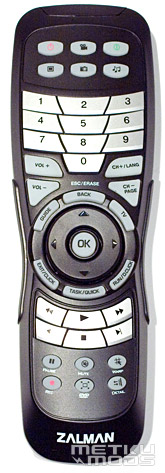
Remote ControllerRemote seems to be a standard accessory with HTPC cases. This time the remote looks pretty modern and has nice touch to it but there's no backlight. When watching a movie in a dark room the backlight could come in use. Thanks to the M.Play software using the remote on normal XP should no longer cause problems. Here's some explanations for the special buttons: |
The screen
Custom text
Status screen
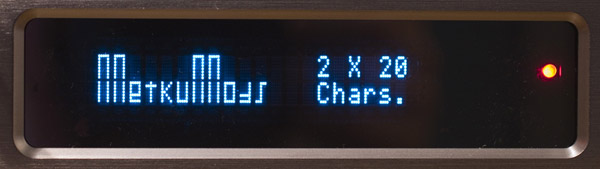
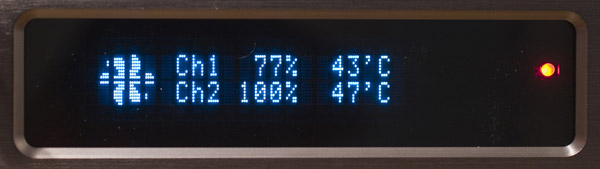
VFD is a 2*20 one with blue characters on black background. Vacuum Fluorescent Displays are, compared to more used LCD displays, brighter and they have better contrast. They also come in nice colors like blue rather than LCD's backlight-based color changing. Due to the better contrast they not only look better but are easier to read. Controlling the display should be a piece of cake with the M.Play software.
Electronics
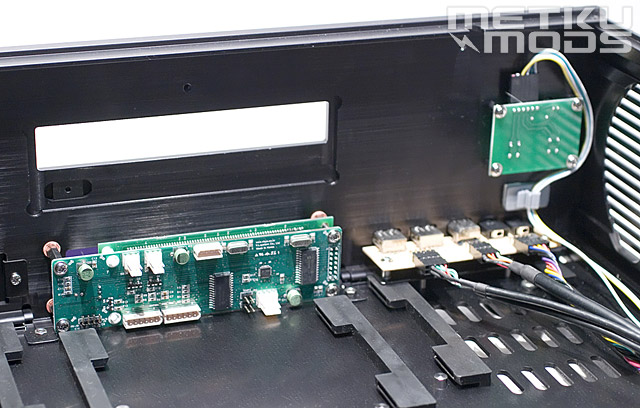
There's three PCBs behind the front panel. One for the front panel connectors, one for the power button and one for the extra functions. Connectors on top of the PCB from left to right: two fan connectors (8 W each) and a power connector. Bottom row: power switch connectors, optional keypad and volume connectors, two connectors for the temperature sensors and lastly an USB connector for the VFD. From these the fan and temperature sensoring connectors were new. Voltages of the fan connectors can be adjusted and fan RPMs and temperatures monitored from the M.Play. As a tiny update Zalman has also get rid of the clumsy power adaptor which was used to provide standby current for the VFD.
Sensors
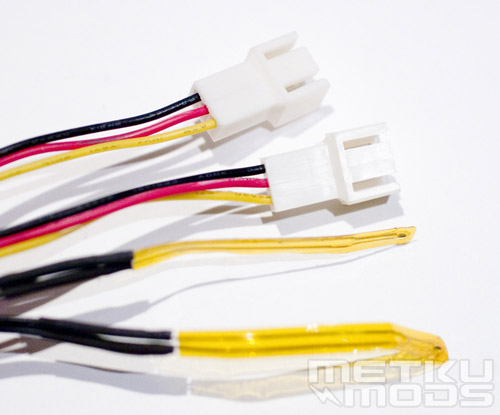
The sensors are very slim and flexible so they can be installed virtually everywhere. In the test setup I installed the other between the fins of on-board PSU and the other between the memories as these two places have no monitors of their own.
 | Pages: 1 2 3 4 5 6 |  |
 Content in english!
 Sisältö suomeksi!