


|
|

 In English
 Suomeksi
Extras
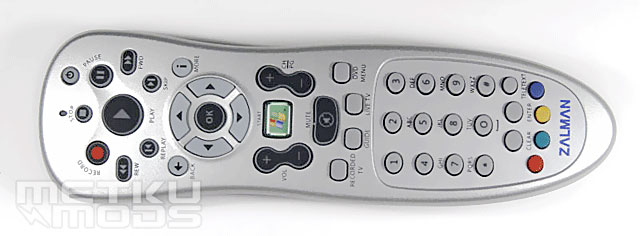
Remote
|
The best way to use a HTPC is via remote just like other AV-devices. This leads to numerous remotes everywhere which again can be helped by buying an all-in-one remote. The remote clearly shows the OS its mainly ment for - Windows MCE. In this review the test hardware will be running on normal XP so we'll see how this thing works with it. As a special feature the remote is backlit from halfway up. |
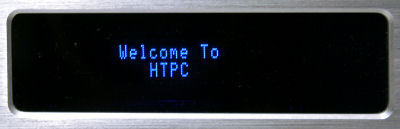
VFD
Zalman has also embedded a VFD-display to their case. This display could have been a bit larger for better visibility. It is ASCII in type and has 2*16 characters. When the power is switched off, the display dimms down and shows the date and time. We'll see later how to control this thing from Windows XP.
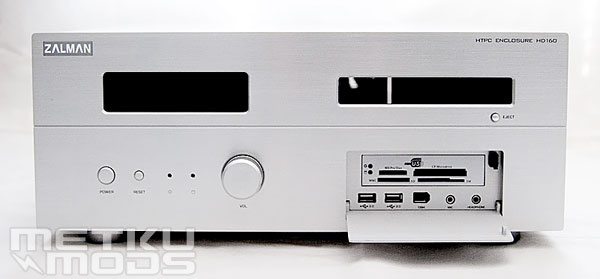
Card reader
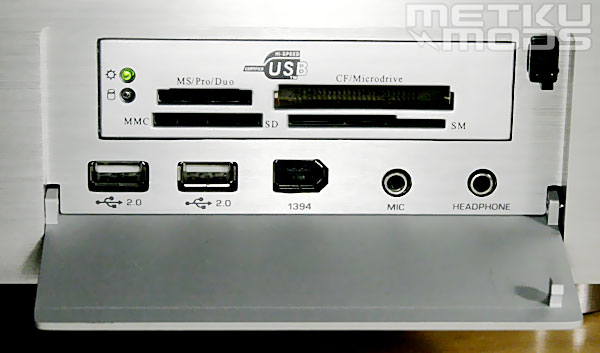
Card reader
Behind the hatch there's a 17-in-1 memory card reader, two USB ports, one firewire and a headphone and a mic connectors. Hatch keeps the front panel nice and clean when closed making it a very common sight on HTPC cases. The hatch, like all the other aluminum parts, is made of pretty thick aluminum which really gives a nice touch to the case. What leaves a slighty less high quality feeling is the way the hatch opens, it just flaps open. Some sort of gearing to slow down the movement would make the front panel perfect. After all this is just a cosmetical thing.
Controller
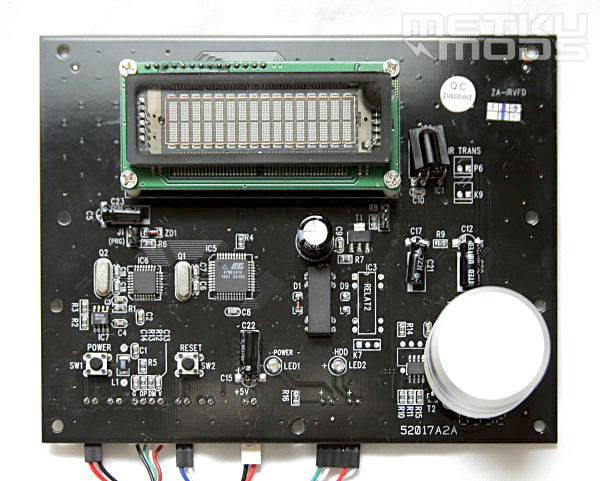
The actual nervecenter of the case is this pretty large PCB right behind the front panel. It has the IR-receiver, the display, the volume knob and the basic buttons and leds in it. The volume controller is digital which in practice means that it turns full 360 degrees. The backside of this board could be somehow shielded as now a slipped screwdriver could break the whole system. Other thing I didn't like too much was the leds, why do they have to be so bright?
When the system is powered off, the display dimly shows time and date. This is rather neat and surprising feature but unfortunately needs large and impractical adapter to work. The adapter splits the standby-line from the PSU to power up the display even when the power is switched off.
 | Pages: 1 2 3 4 5 6 |  |
 Content in english!
 Sisältö suomeksi!