


|
|
Overdrive and OverClocking
Overdrive
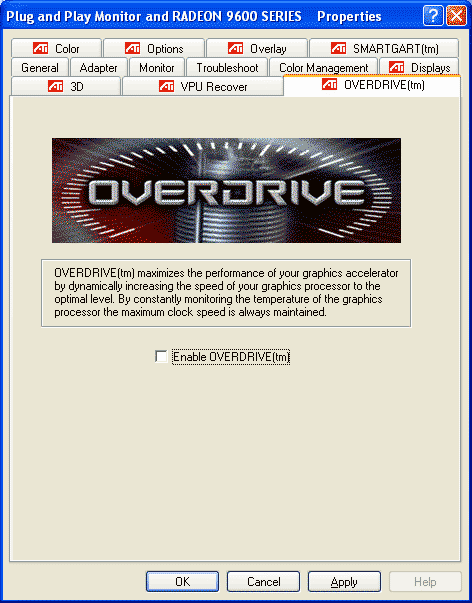
Overdrive is a new feature in the latest Catalyst drivers. With XT line of graphics card it allows the easy overclocking of the GPU. While this all sounds very good there are some things to note. For starters, only the core will be overclocked. Overdrive, when enabled will monitor the heat building up inside the core and will adjust the clockrate accordingly. RAM speed isn't affected and this is the major weak point on this design. Sure, clocking the core will boost the performance a bit but it is nothing compared that can be achieved by overclocking the memory. This said, it is still great that we are seeing the first steps taken by manufacturer to ensure easy overclocking in safe and controlled manner. Hopefully we will see more features added to Overdrive in the future and one of the first should be a possibility to see the temperature directly on the control panel.
We used Rage3D Tweak 3.9b to overclock the card manually. I was quite surprised when we managed to get the RAM to overclock so little. The default speed for memory with this Turbo model is 325 Mhz (DDR650) and we were able to push it only to 337 MHz. I checked couple reviews from other sites and their results seems consistent with ours. Chips are rated to 350 MHz so what is holding us back? Your guess is as good as mine on this. Perhaps something to do with the card's bios or design of the PCB. Hopefully HIS will get this thing sorted out as soon as possible. Core overclocked bit better and we got a nice 53 MHz boost from the default clockrate of 500 Mhz. To sum things up, the end results were 553 MHz for the core and 337 MHz for the memory while the defaults were 500 MHz and 325 MHz.
Benchmarks
I placed the card head-to-head with ATi's 9700 pro. In some tests you might spot nVidia's Ti4200 results but unfortunately this card, made by Gainward didn't work properly. You may have hear about the mosaic or pattern problem with these cards and while my card worked longer than other's it still broke. And all this in the middle of our benchmarks. Test were run with resolution of 1024x768x32, Anti-Aliasing setting of 4 and anisotropic filtering set to 8 if not stated otherwise.
Used hardware:| Processor | Intel Pentium 4 2.40 GHz (Running at 2.8 Ghz) 800MHz HT |
| RAM | Corsair Twinx1024-4000 |
| Motherboard | DFI Lanparty PRO875 |
| Hard Drive | Samsung SV0802V 80 GB |
| Graphics Driver | Catalyst 3.10 |
| Chipset Driver i865PE/i875P | 5.0.2.1003 |
| DirectX Version | 9.0b |
| OS | Windows XP Pro SP1 |
Need for Speed Underground
Need for Speed Underground
Click the thumbnail for a full resolution screenshot.
|
|
|
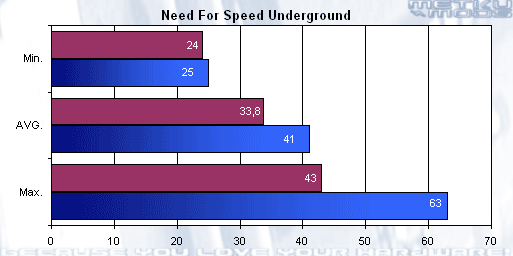
This is the first time that I've used Fraps while benchmarking. While it doesn't produce the most accurate readings in all games the results are still very comparable.
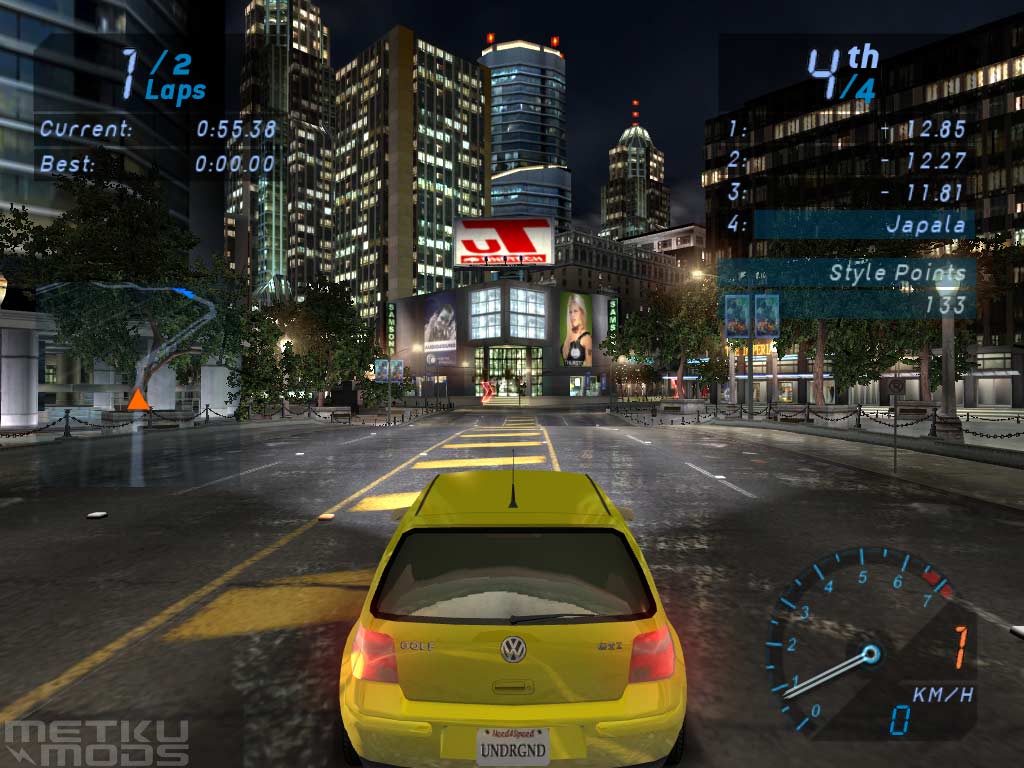
9600 XT seems to be keeping up with the 9700 pro quite nicely. 9700 pro is a lot faster when you look only the numbers but I was quite surprised how well the game played while the max. framerate of the 9600 XT seems a lot lower. When we go low enough on the MIN. scale the game starts to feel jumpy and as you can see the 9600 XT and 9700 pro produced good and even numbers when stressed by lots of traffic and moving objects on the game.
Call of Duty
Call of Duty
Click the thumbnail for a full resolution screenshot.
|
|
|
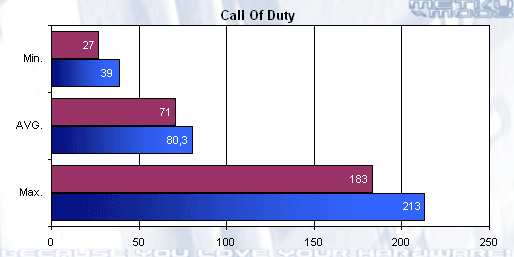
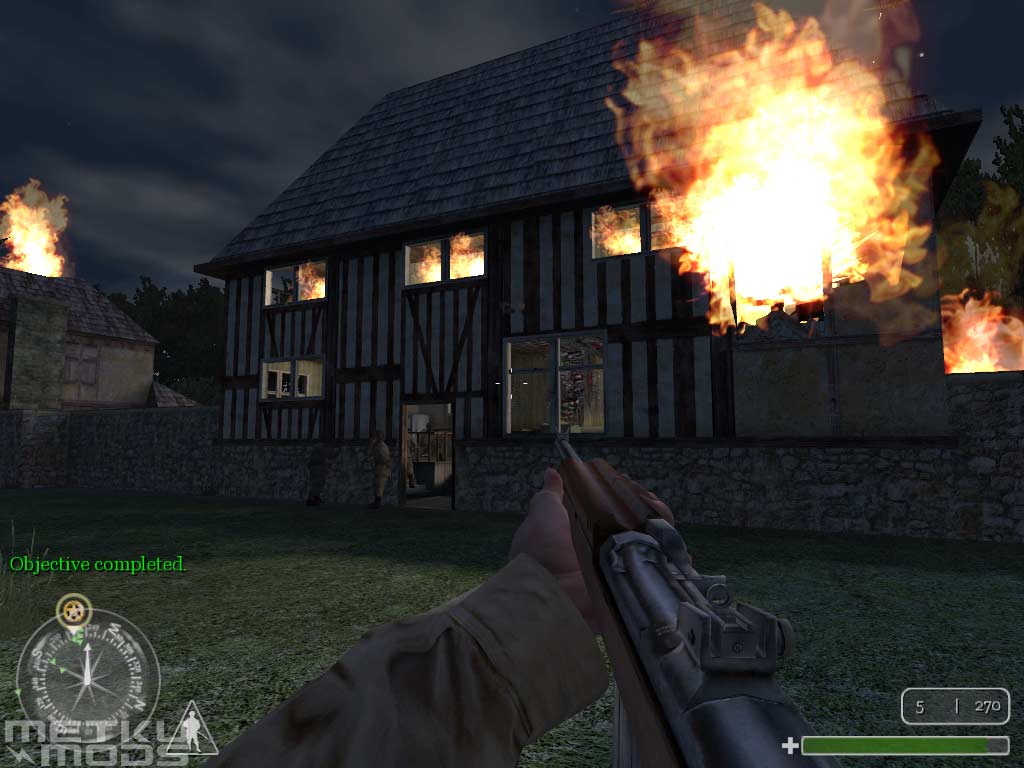
Based on the heavily modified QuakeIII OpenGL engine the Call of Duty brings fast paced WWII action to your screen. It is quite interesting to see how much more the FPS fluctuates with this engine than the DirectX Need for Speed Underground. We can see numbers that are near or above 200 FPS but then can fall below 30 FPS fast. Again, the MIN. scale means more because it shows the power of the display adapter pushed to the limit. Generally I don't see why you shouldn't be able to play this game with HIS 9600 XT and you have to remember that all of this is happening with Anti-Aliasing set to 4 and anisotropic filtering set to 8.
Aquamark3
Aquamark3
Click the thumbnail for a full resolution screenshot.
Aquamark3
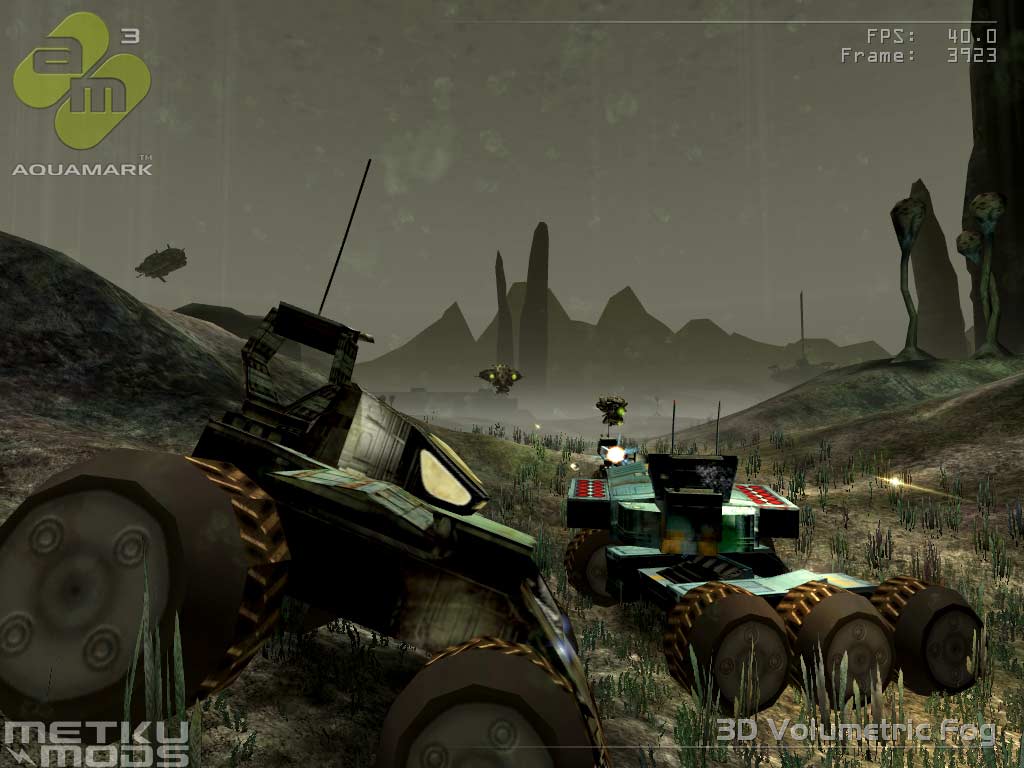
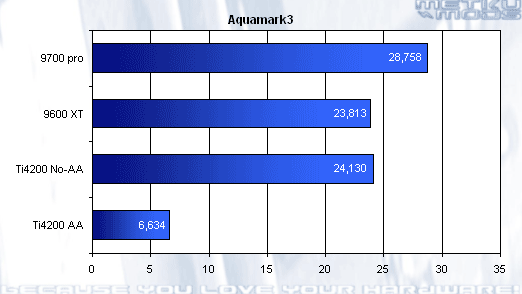
This was the only test that was completed with Gainward's Ti4200 too before it broke. As you can see it would not have made much of a sense to run more benchmarks with this card because the calculating power and technique used is so much behind these modern cards. With AA turned Off, the card raced head to head with 9600 XT and 9700 pro that were running with AA. With Anti-Aliasing turned On, the Ti4200 fell far behind and this is a clear indication that upgrade is needed if you want to see smooth graphics on your screen. On the other hand this also shows that if you don't need those latest gfx effects and can live with jagged lines the Ti4200 is still pretty usable card.
3DMark2003
I don't think that this benchmark needs introduction because this has to be the most popular benchmarking software for graphics cards at the moment. For those who are not that familiar with the various tests that 3DMark performs, their descriptions can be found from Futuremark's Product page. We ran tests with four different setting, including Overdrive and manually overclocked ones.
Games
| Wings of Fury (DX7) | Alpha Squadron (DX8) | Troll's Lair (DX8) | Nature II (DX9) | |
| 9700 pro | 95,2 | 11,4 | 10,8 | 20,1 |
| 9600 XT | 78,0 | 8,8 | 8,1 | 16,4 |
| OD 9600 XT | 79,6 | 9,0 | 8,2 | 16,9 |
| 553/674 9600 XT | 81,9 | 9,4 | 8,6 | 17,7 |
9700 pro seems to be a clear winner here. Perhaps with even bigger margin than in our previous benchmarks. Nevertheless the 9600 XT seems very competent on handling todays games and because it has build-in support for DX9 it should be very usable card relatively long time in the future too.
Fillrate and Shaders
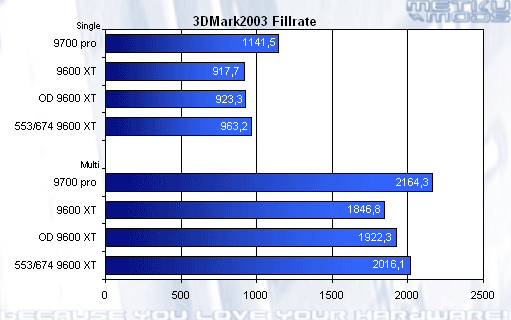
Fillrate
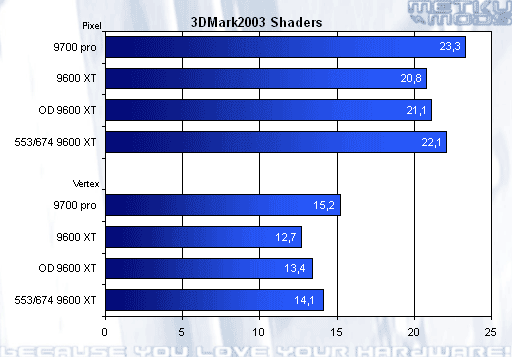
Shaders
I think that these two graphs show the performance increase produced by overclocking more clearly. OD 9600 XT is the card that is overclocked by Overdrive. As you remember it only overclocks the GPU and not the memory. While it offers some increase in results it can't reach the results received by manually overclocking the card. 12 MHz boost on the RAM may feel very little but this means that there are 12,000,000 events more per second and it will show somewhere. :)
 | Pages: 1 2 3 4 |  |
 Content in english!
 Sisältö suomeksi!
