


|
|
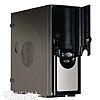
Inside the X710
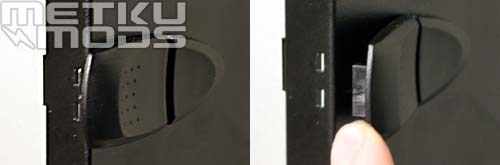
quick-release lock
Side door is easily removable by instant fastening. Plastic clips also lock the side door to case's body. To remove the side door you have to open the clips and slide it backwards until it gets loose.
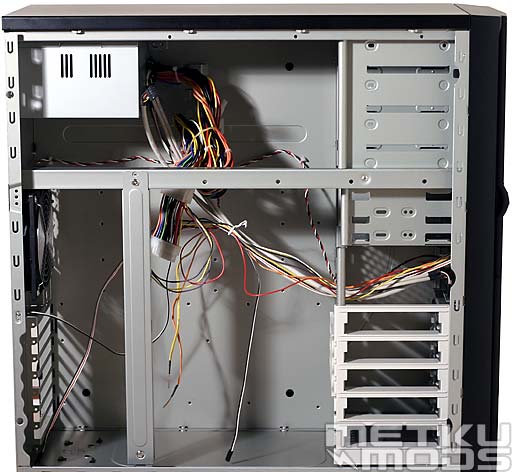
Indoors
Well, there are lots of cables inside the case. Front panel's LCD-display, power and reset buttons cables and all other connectors add few extra cables so there is actually quite a mess even without any actual computer system installed. On the right side there are 3.5" drive bays crosswise. Most edges seems to be rounded and case looks somewhat unusually spacious. On the very top of the case is the power supply, which sets some requirements for power cable lengths, but also adds some space to case.
Balk in the middle of the case adds some steadiness and works at the same time holder for the card guides. Unfortunately there is no motherboard tray, although installing of the motherboard seems easy task because of all the available space.
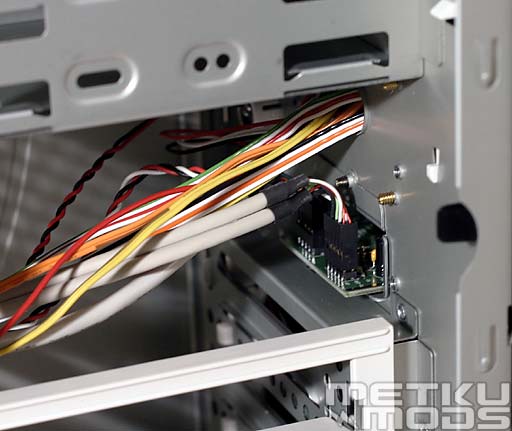
Cables
Some empty space can be found between 3.5" and 5.25" drive bays. USB and audio outputs cable connector can be easily seen, so unused cables are easy to remove and put back if needed. All cables that go to LCD-display go via a rounded hole.
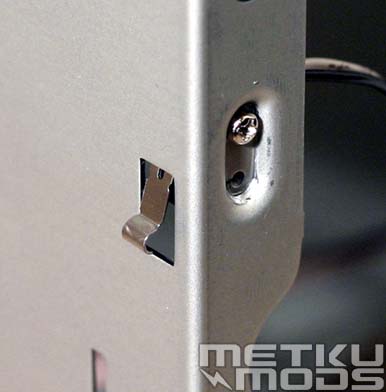
Intrusion sensor
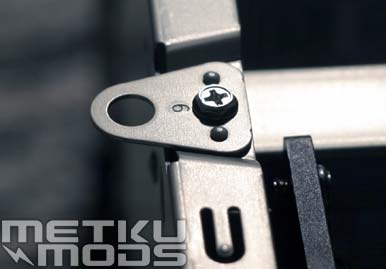
This is where you lock the case from
Interesting detail can be found on the back side of the X710. Case intrusion sensor is possible to be connect to motherboard, which monitors system's security. InWin X710 is the first case where I have seen support for this feature. It might not be very useful for most users, but in public places it is nice to have. There is also place for lock if it seems necessary.
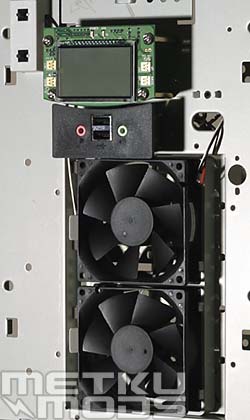
View behind front panel
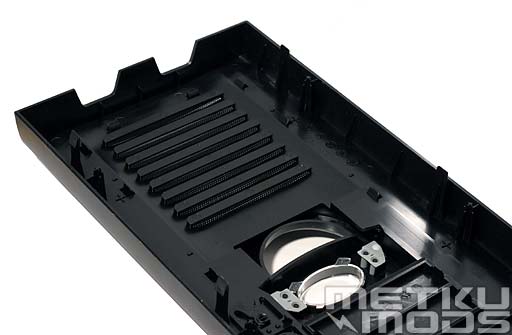
Front panel
Behind easily removable plastic front panel are two places for 80 mm system fans, all switches, connectors and other gadgets. I was surprised that there are no switches or other devices attached to the front door, it's completely separate part. So no extra caution is needed when working with the front panel.
Connectors for system fans can be found behind the LCD-display. There are totally four normal fan connectors so if necessary system fans are easily changeable. One fan connector is unused so you can also plug an extra fan to the LCD-unit if you want to.
System fans
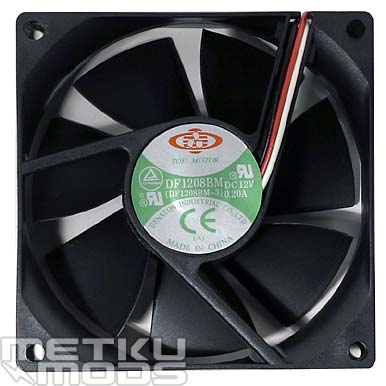
Top Motor 80 mm
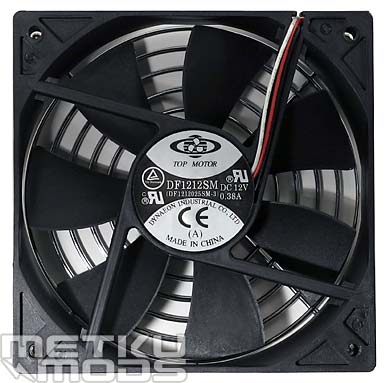
Top Motor 120 mm
All system fans are manufactured by Top Motor. Both 120 mm fan and two 80 mm are quite loud and effective so it is nice that you can lower they RPM via the LCD-display unit. RPM adjusting is however limited so if you require extreme silence, you probably have to replace system fans or control them with a separate fan controller.
Power supply
Inwin IW-P300A3-1 power supply unit comes with the case. It has Noise killer features and a power rating of 300W. One 80 mm fan can be found inside of the grey shell. PSU is quite heavy and looks nice so it seems quite good in quality.
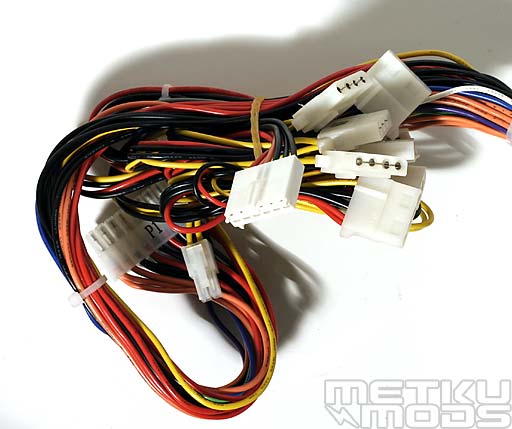
Cables
Number of the power connectors seem sufficient. Besides of ATX, ATX +12V and AUX power connector it has seven peripheral power connectors and one floppy drive power connector. No power connector for SATA-devices though. InWin X710 comes with one extra cord, which branches one peripheral power connector to two and adds some length to cables. Without it, power cables wouldn't reach some 3.5" drive bays.
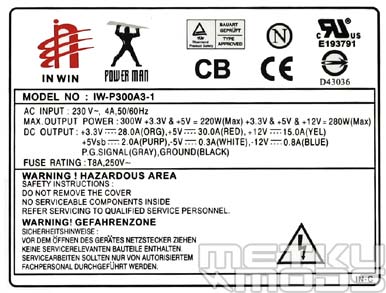
InWin IW-P300A3-1 model label
Model label shows how much current PSU provides for each voltage bus. Values are normal for 300W PSU. Many might suspect that 300W isn't enough for modern system, but actually it is if PSU really keeps it promises. InWin PSUs were not that familiar to me so I tested how it performed on my AMD Athlon 64 3400+ system.
In reality comprehensive PSU testing needs equipment that I don't have. So this evaluation is based on my personal experience and some simple measurements. So this is just how I feel about it and what I was able to measure about this PSU and may not be 100% accurate truth about it.
Voltage measurements
Test system:| Processor | AMD Athlon 64 3400+ |
| Motherboard | Epox 8HDA3+ |
| Memory | Kingston HyperX PC3000 2x256MB 5-2-2-2 |
| Hard disks | Seagate 7200.7 160 GB SATA & IBM 120GXP 80GB PATA |
| Graphics card | Club3D Radeon 9800 Pro 128MB |
- 12 V idle: 12,27 V
- 12 V load: 12,22 V
- 5 V idle: 5,16 V
- 5 V load: 5,17
- 3,3 V idle: 3,32 V
- 3,3 V load: 3,32 V
All voltages were measured at ATX-power cord outputs with a multimeter. Before measurement system was doing some heavy calculations for few days so that PSU would be warmed up and ready for testing. Idle voltages were measured when system was apparently doing nothing, just idling on Windows desktop, while load voltages were measured in the middle of the Need for Speed Underground gaming session.
InWin IW-P300A3-1 cleared measurements with excellent results. Especially I'm astonished how well PSU managed at full load test. These measurements of course dont tell which kind of current it produces or how long PSU will actually last in heavy use. Some observations are however easy to do and one of is that PSU feels quite cool even on heavy load. Efficient fan might explain it, but it also suggest that PSU is nowhere near its limits on this test system.
My personal opinion is that there is no need to replace original 300W power unit with 350W or 430W model since in most cases they could be worse. IW-P300A3-1 has also quite silent 80 mm fan. Surprisingly good voltage levels will probably drawn even overclockers attention despite of 300W power rating.
 | Pages: 1 2 3 4 |  |
 Content in english!
 Sisältö suomeksi!