


|
|
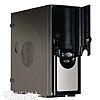
LCD-display
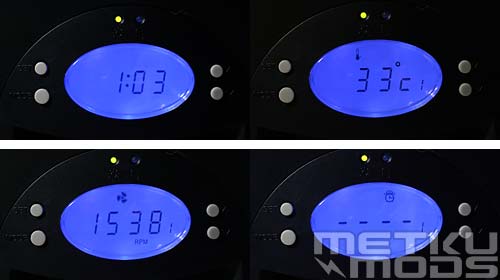
LCD-display
This LCD-display is a versatile device. It is possible to monitor and adjust RPM of cooling fans. Very nice feature is also the possibility to monitor temperatures by two sensors that are easy to place where ever you like. There is also an alarm clock. Biggest problem in this nice device is the lack of backup battery. If there is a power failure or you switch the main power off, device resets its settings.
Installation
Easiest way to explore case's features is of course to install system in it. So I just popped in my acceptable game machine equipped with AMD Athlon 3400+ processor.
So let's start installation of hard drives and optical devices.
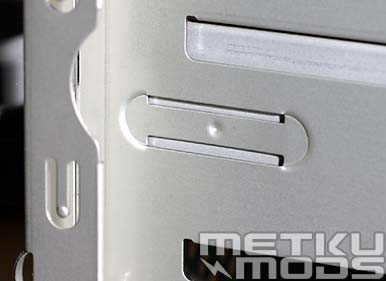
5,25" locking mechanism
Good features of server cases just happen to come forward when you are installing hard or optical drives or changing some other hardware. So I wasn't very surprised when I felt how case just locked my CD-drive automatically in its place. Reason to this can be seen on the picture. Those bended metal slices lock on to CD-drives mounting holes when it reaches it's proper place. You have to screw just two screws on the other side to their places and 5.25" device is in its place very firmly.
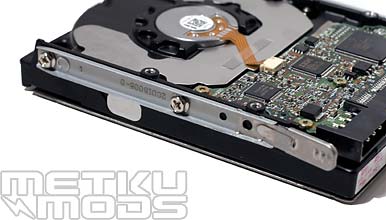
Rails
For installation of hard drives this case have five internal easy swappable 3.5" drive bays. You have to screw rails to device before installing and then just plug drive in. Rails lock drive in and when you want to remove drive you only have to squeeze heads of the rails firmly towards the drive and pull. Nice and easy.
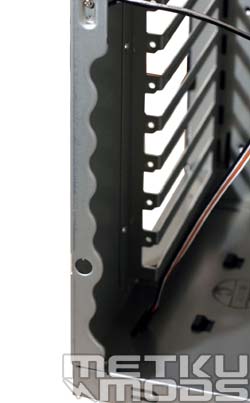
Rounded edge
Installing motherboard to the case is easy despite the lack of motherboard tray. There is lots of working space and you can always remove middle balk because it's only fixed with two screws. When it is time to put add-on cards to their places, attention focuses to rounded edges of the case, which makes working with screws a lot easier.
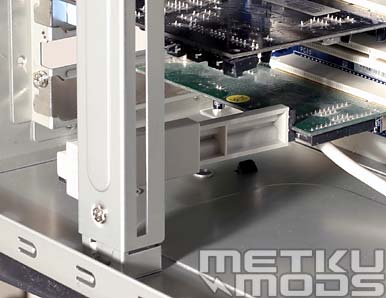
Card guide
When motherboard and add-on cards are on their places you can lock some cards by using card guides. I used guide on my network card but it really doesn't need it, guides are for long and heavy add-on cards. Good feature on server systems but it is quite rare to find such cards on todays desktop setups.
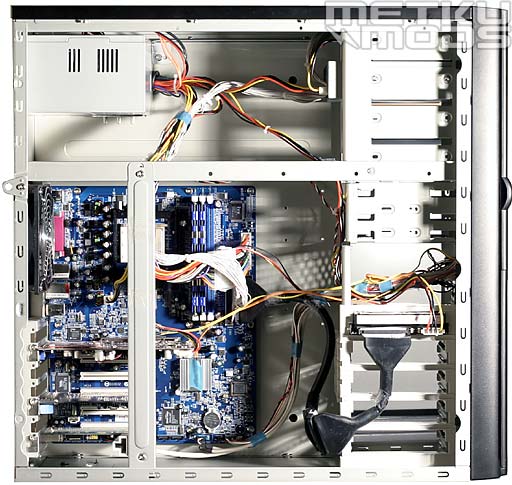
Ready
Installation of system is easy and fun. As you can see on above picture there is lots of space to work with even with very complex systems with multiple hard drives and long add-on cards. There is always going to be some cable mess but we just have to live with it (or bundle them up with Scotch tape or something).
Experiences
InWin X710 is extremely user-friendly case. Installation of system is easy and there is lots of space available. When it's time to put system on, your attention will probably attach towards the quite loud system fans but there is a nice LCD-display where you can slow them down. LCD-display is nice to have because in addition to RPM monitoring and adjusting of system fans, you have possibility to monitor two external and moveable temperature sensors. I also found the illuminated clock useful ín couple of occasions.
I think that most users will find X710 external appearance quite nice. It has no striking curves or unusual colouring; just straight lines and black finishing. I believe that case modding interests many of our readers so question is; is X710 suitable for modding. All side panels are removable so external modding is easy. If you are going to mod inner parts of case or for example install water cooling the task gets bit harder. There is almost no clear areas to install the radiator and it requires little imagination to find or make place for big radiator like Black Ice Extreme II.
Case's and power supply unit's quality shines from little details, and X710 has plenty of them. Nearly all edges of sheet metal are rounded, there are little things here and there that helps general use and installation of devices. I don't find any fault on building quality of the frame or finishing. I have few ideas but they are more like product development than lack of some features. I hope that some day we will get rid of cable mess, perhaps some kind of cable channels inside case's frame. Also, on the next version of the LCD-display, I hope that InWin will add more scale to system fan's RPM adjusting and backup battery that maintains settings in case of a power failure.
 | Pages: 1 2 3 4 |  |
 Content in english!
 Sisältö suomeksi!