


|
|

 In English
 Suomeksi
Software
Microsoft is still using its old Intellipoint software. That is not a bad thing as it is very clean and easy to operate. These screen captures are taken from version 6.2 Pre - marketing sample release.
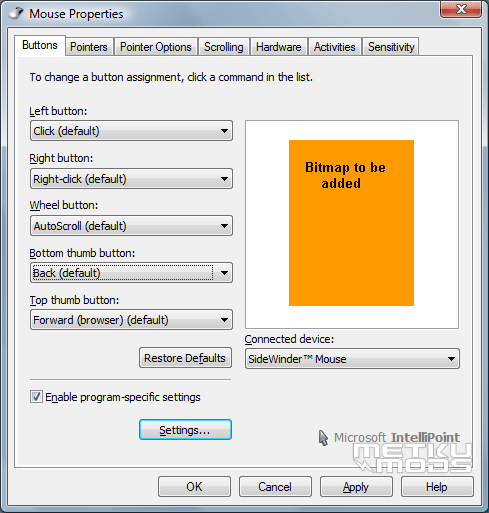
Five user configurable buttons. As there are as many as five more buttons (Quick Launch, Macro and three sensitivity buttons) on this mouse, it is sad that they are not configurable. Yes, most people would use for example the sensitivity buttons for setting sensitivity but still, there would be a lot of users that would like to tweak the functions to their liking.
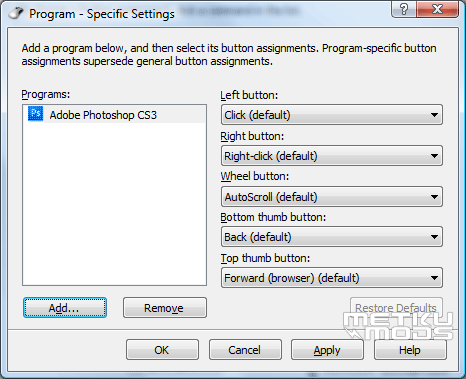
As it is possible to customize the button functions per-application basis, it would have been nice to have all of the buttons available here.
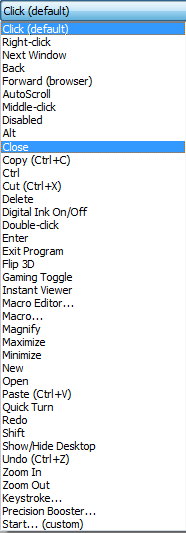
Here is the list of all the functions that are selectable to a button as a function.
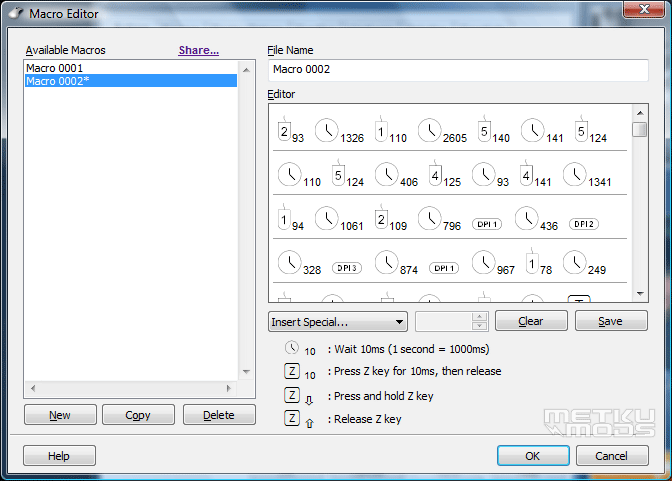
Macro Editor feels quite powerful. It can record the button presses with great accuracy. These recorded and edited macros can then be tied to any of those five user configurable buttons.
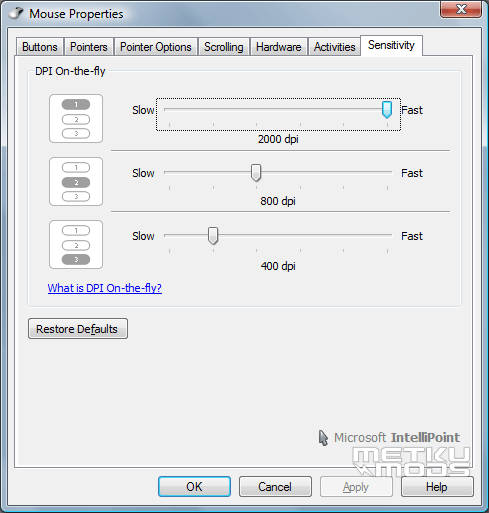
This is the only SideWinder dedicated tab on the control software. From here, one can select the sensitivity that one wants to each of the SideWinder's sensitivity buttons. Again, very easy and intuitive way of tweaking settings.
 | Pages: 1 2 3 4 5 |  |
 Content in english!
 Sisältö suomeksi!