


|
|

 In English
 Suomeksi
NAOS 5000
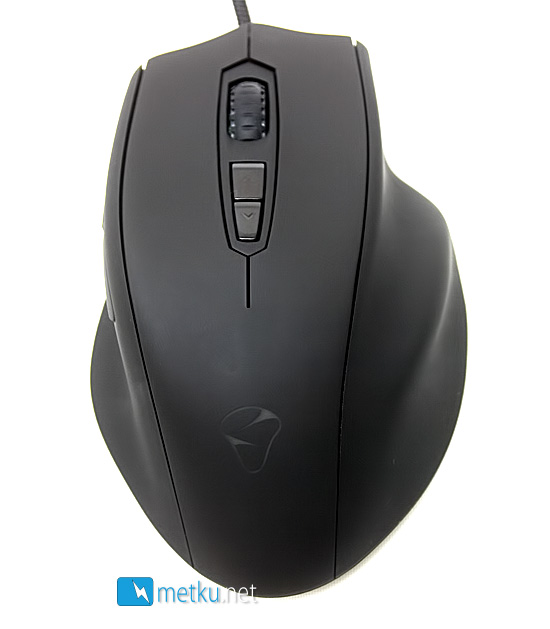
The mouse itself is pretty Steelseries-esque with the large hump on its right side. This differs greatly from mice like the Razer Imperator, as the Naos is designed for people who like to have their whole palm on the mouse, whereas some prefer to just use the fingers to move the mouser around.
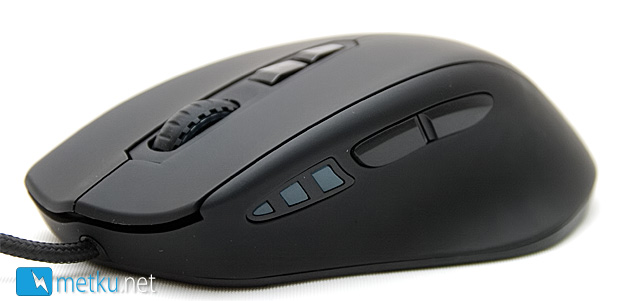
The button layout is very common with two main buttons, two thumb buttons, wheel and two buttons for changing the sensitivity mid-game. For visualizing the DPI setting in use, there are three leds right in front of the thumb buttons. In use these proved to be one of the more successful ways of showing the DPI, as these are easy to see at a quick glance when playing.
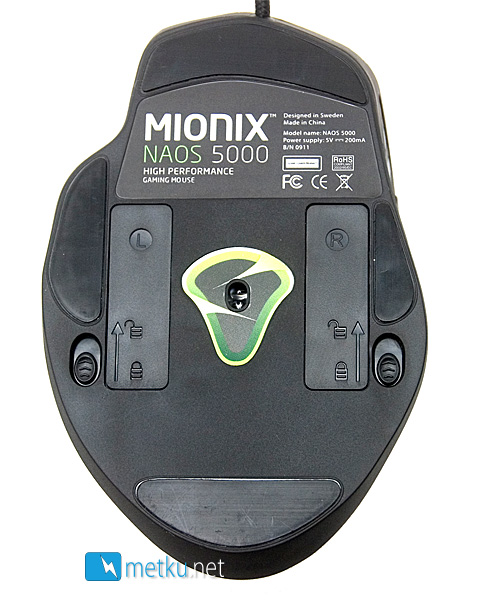
On the bottom of the mouse there's ofcourse the 5040 DPI laser sensor. On both sides of it there are the two doors hiding the additional weights, and at the very edges of the mouse there are four gliders. For opening the weight hatches there are two spring-loaded tabs. These hatches worked rather badly out of the box and required some screw driver action to get open the first time, but after a while they got a bit more lose and easier to open.
Comparison
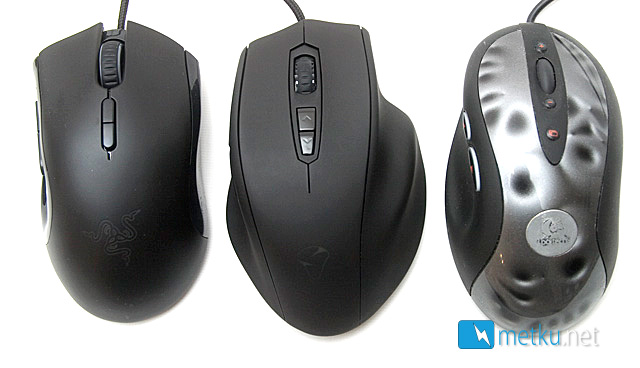
In comparison with the Razer Imperator and Logitech MX518 the Naos 5000 isn't really much longer, but the difference in width is pretty huge.
 | Pages: 1 2 3 4 |  |
 Content in english!
 Sisältö suomeksi!