


|
|

 In English
 Suomeksi
The Keyboard

The keyboard
Keyboard is filled with shorcut keys, that are separated in two areas. Keys in the top part are used to change tracks and volume, for example in Media Player. Half of the top keys are reserved for favourite web pages or folders, and they seem rather handy. Left side has keys with small icons giving a hint what they'll do. My main concern is not the amount of extra keys and functions, but the battery life. Being wireless, nothing is more annoying than running out of juice in the middle of the lan parties. Happily keyboard has a led which will show, when batteries are starting to run out. This led shouldnt be flashing too often because 6 months of battery life is promised for the whole desktop.
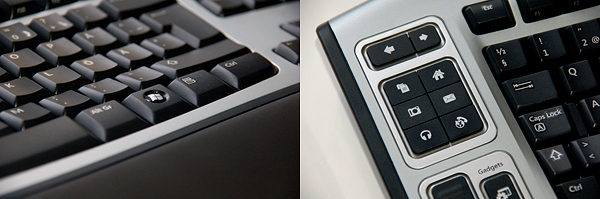
Details
The keys feel something between laptop keys and old-fashion Keytronics and the mechanism is unbelievably silent. Compared to Logitech UltraX the feeling is more stiff and operation more silent, so I find Microsoft better. Of course it is partially a matter of taste, and the difference in price should't be forgotten either. If you play games with your friends on split screen mode, it's good news that this Microsoft can handle 6 simultaneously pressed keys.
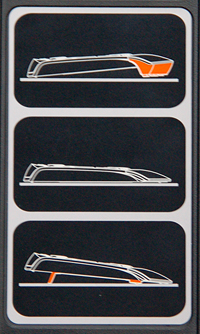
Angles
This keyboard really tries to be a pleasure to use. It can be set to three different angles. This is also the first keyboard i've seen to have negative angle option. In addition the keys are arranged in curved rows to reduce stress in wrists. Typing with this keyboard is just marvellous, though wrist support could be wider.
 | Pages: 1 2 3 4 |  |
 Content in english!
 Sisältö suomeksi!