


|
|

 In English
 Suomeksi
Closer look
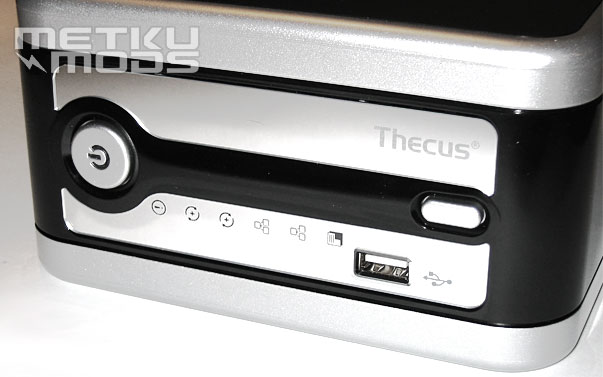
Front panel
Front panel of the unit is very stylish and not overly decorated. One USB2.0 port and set of two buttons; one on the left is the power button and one on the right is used to make copies from the content of USB memory devices inserted at the front USB port.
There are several indicator lights that tells you what the unit is doing at a given time. When the power is on, the power button has a blue glow. Other indicator lights use mix of blue and orange leds to light up. These lights include individual activity lights for both hard drives and both ethernet ports.
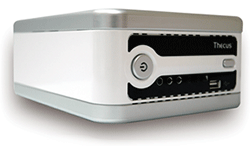
| I personally like the two toned coloring of this unit. Mirror black is nicely lined with silver and the front part has two mirror strips on it. On one of the strips is the holographic company name. Cooling air is drawn inside the unit via small holes that are located right next to these mirror strips. N2100 is also available in white/black combination like shown on the right. |
|
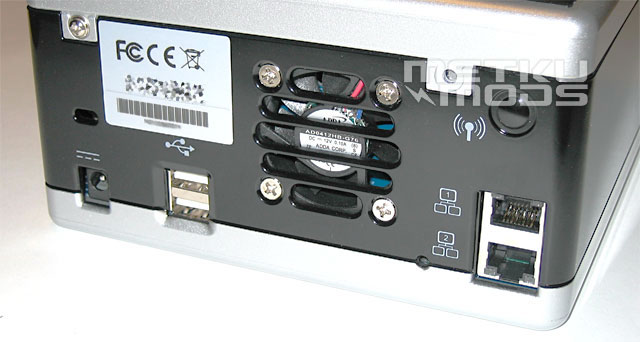
Rear of the unit
From the rear we can find the power connector at the far left. Next to it are two additional USB ports. N2100 supports up to six external storage devices like external hard drives or USB flash memory sticks. As there are only three ports available, these additional units have to be connected to the unit via external USB hub.
Next we have a 60 mm cooling fan made by Adda. Fan is controlled by the motherboard allowing it to be run with the lowest possible rpm suitable for the temperature inside. This to keep the noise down.
On the top right we have a place for WLAN antenna. The sample unit we got here was not equipped with WLAN but the it can be later added by using a mini-pci card or an USB WLAN adapter. On bottom right we have two Gigabit ethernet connectors. This allows one to connect the unit to two separate networks at the same time.
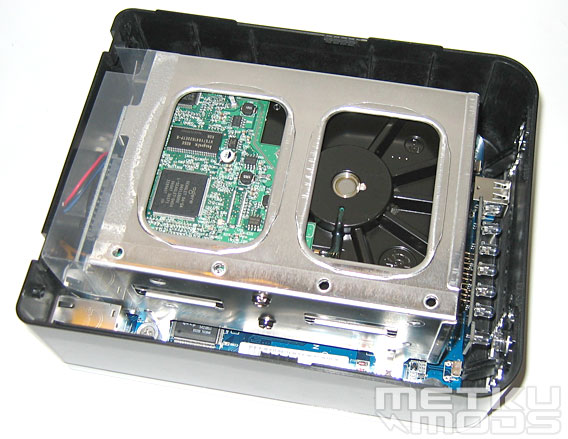
Top off
Exterior of the unit is made out of plastic. While this brings the costs down, it might affect the cooling properties of the unit. As the N2100 is meant to be used as network data archive and one doesn't need to transport it that often, I believe the material choice is justified in this case. While the above image contains the hard drives already, one should note that N2100 is not supplied with hard drives off the factory. You need to get them yourself.
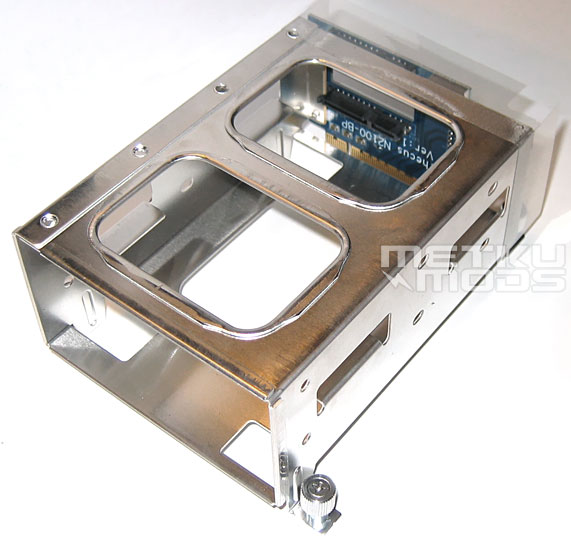
Drive cage
It is great to see a removable drive cage. Makes the installation so much easier. Drives are pushed in to the cage and when they slide all the way in, they make connection with the backboard automatically. This means that there are no messy wires to deal with thus improving the air circulation inside the N2100.
 | Pages: 1 2 3 4 5 6 7 8 |  |
 Content in english!
 Sisältö suomeksi!