


|
|
 In English
 Suomeksi
The fan
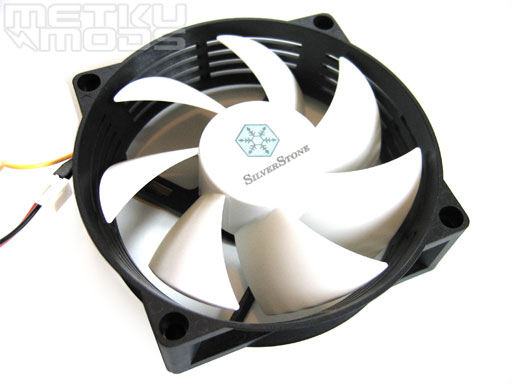
Fan
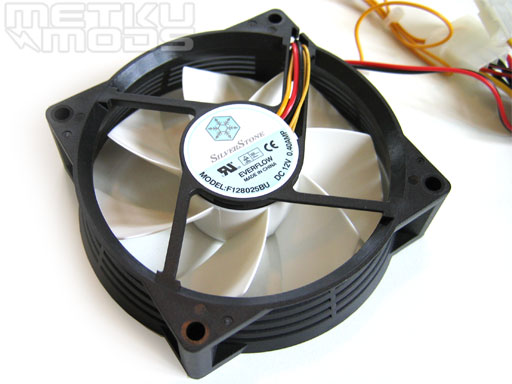
Fan label
- Manufacturer: Everflow
- Fan speed: 1800 ~ 3800 rpm
- Max airflow: 72.48 CFM
- Noise: 17.0dBA ~ 40.4 dBA
- Frame size: 80 x 80 x 25 mm
- Fan blade size: 92 mm
- Bearing: dual ball bearings
The dual ball bearing fan itself is a bit out of ordinary because of its weird design. The fan blades are 92 mm wide but the frame size is only 80 mm. This funnel like design is quite welcome to a product like this. This kind of solution improves the airflow and still keeps the computer silent. Besides these, it's easier replace the FM82 with standard 80mm fan i.e if it gets damaged although FM82 is being sold separately.
The fan frame has air intakes in it's sides. This prevents any underpressures to occur between the fan blades and this way improves the air flow and the cooling.
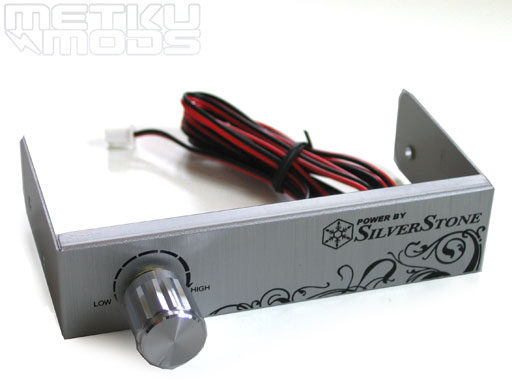
Controller
The fan itself will be controlled by a aluminum 3,5" unit like this. It's possible to adjust the fan speed between 1800 and 3800 rpm. The front panel has a Silverstone logo and some tribal decorations. The unit is connected to the fan via two wire cable.
Base surface
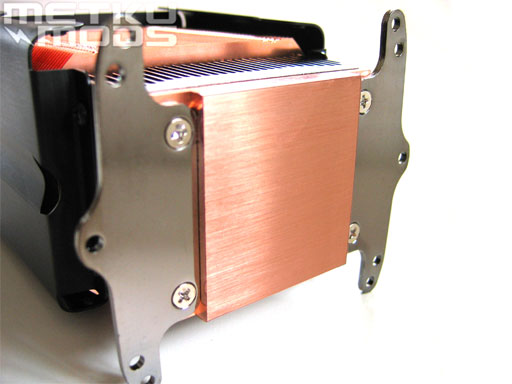
Like the most of the cooler, the base is also made of copper. The base itself was perfectly straight but it could have been a bit smoother. The mounting plates are attached to the base with four screws. This is because the mounting plate can be changed if the standard 3-in-1 plate obstructs with the motherboard components. This way the NT02 should be compatible at least with all common motherboards.
Because Silverstone NT02's various range of screws and mouting parts makes it possible to install it to three different sockets, the installation will be introduced briefly.
First of all, the socket heatsink retention bracket must be removed and the heatsink compound must be applied onto the surface of installed CPU. After that, the steel back plate will be installed on the other side of the motherboard. After tightening the screws, the cooler will be placed to its position and the remaining screws will be tightened. All the different socket types uses a bit different screws but that was basically it. The installation is easy but unfortunately the motherboard must be removed from the case which makes it a bit troublesome.
 | Pages: 1 2 3 4 |  |
 Content in english!
 Sisältö suomeksi!