


|
Index: Introduction Albatron PX485PE pro II DFI NB78-HL Epox EP-4PEA+ Gigabyte GA-8PE667 Ultra Soyo SY-P4X400 Benchmarks Conclusions |
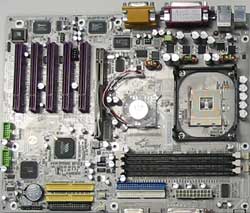
|
Soyo SY-P4X400 |
Specifications
| Processor | - Socket 478 Intel Pentium® 4 Processor (Willamette/Northwood) |
| FSB | - 400/533MHz |
| Chipset | - VIA P4X400/8235 - CMI 8738 audio chip - HPT372 Raid controller - W83697HF IO chip - RTL8100B Lan chip |
| Memory | - Three DDR400/333/266 2.5V DIMM sockets support up to 3 GB - 184-pin PC3200/PC2700/PC2100 non-ECC, unbuffered DDR SDRAM memory |
| IDE Ports | - 4 x independent channels for eight IDE devices (two for IDE-RAID) - Supports up to PIO Mode 5 and UDMA 66/100/133 - 2 x PCI bus mastering ATA E-IDE ports |
| Onboard I/O Connectors | - 2 x RS-232 serial ports (16550 UART compatible) - 1 x parallel printer port (SPP/EPP/ECP mode) - 1 x FDD port (Supports 3 modes, 1.2/1.44/2.88 MB FDD - Provides IrDA/FIR ports with optional cable for transceiver - Provides 6 USB 2.0 ports (2*rear, 4*pin header) |
| I/O via Back Panel | - PS/2 Mini-DIN mouse & keyboard ports - 2 x USB ports - 1 x RJ45 connector - 2 x D-Sub 9-pin male serial ports - 1 x D-Sub 25-pin female printer port - 1 x One game port - Audio I/O: LINE-Out , LINE-In, MIC JACK |
| Expansion Slots | - 1 x AGP Pro slot (support 8X/4X mode with 1.5v) - 5 x 32-bit Bus Mastering PCI slots (V2.2 compliant) |
| Form Factor | - ATX, Four layers, 30.5 cm x 24.5 cm (12" x 9.6") |
| BIOS | - Award PCI BIOS with ACPI function - Supports multiple-boot from E-IDE/SCSI/CD-ROM/FDD/LS120/ZIP - 2 Mbyte Flash ROM - Adjustable CPU FSB, core voltage & multiplier - Adjustable DIMM voltage - Adjustable AGP Pro voltage - Software power off control - Power-on by keyboard - Power-on by Alarm - Modem Ring On - WOL (Wake On LAN) - Suspend To RAM - Suspend To Disk |
By looking the features there isn't that much difference compared to other boards in this review. Sure the chipset isn't manufactured by Intel but when you look what integrated chips are used etc. things are getting more familiar. People seems to love debating over the issues like Intel vs. AMD, nVidia vs. ATI and now that we are testing the motherboards, Intel vs. VIA. For the end user it shouldn't matter which chipset is used because system should run smoothly what ever hardware is used but lets see how well VIA compares to these i845PE boards.
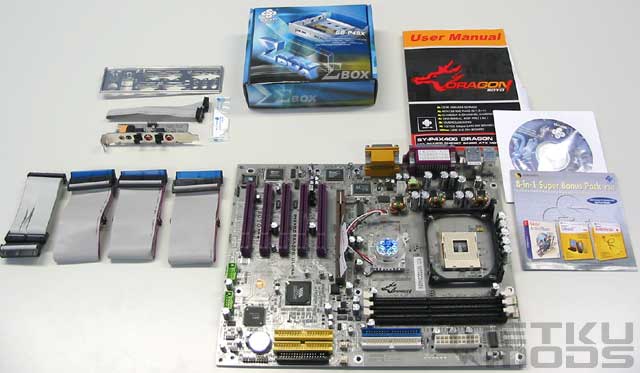
Package
Now this I would call a bundle! Three IDE cables and a floppy cable, new I/O plate, a manual and a driver CD. There is also a CD containing full software like: Norton Anti-Virus 2002, Ghost 2002 and WinDVD 2000. One thing missing from all the other motherboards that is included in this package is a small tube of thermal grease. There are still two items remaining so continue reading.
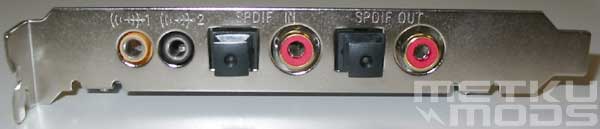
Audio
What makes this rear bracket interesting is the fact that it includes both, input and output SPDIF connectors. Both optical and in RCA. There are also outputs for subwoofer and rear speakers for surround audio. With these you will get the best audio experience possible offered via integrated audio.
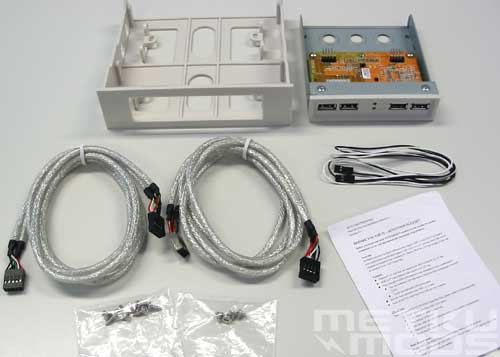
Sigma box
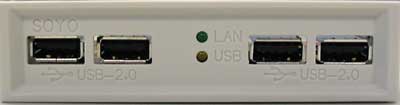
USB 2.0 connectors + lan activity light
Also included is so called Sigma box. It is a kit ment to be installed on the 5.25" or 3.5" drive slots. It offers four USB2.0 connectors and a network activity light. Moving that network activity led from a network card to a front side of a case was a popular mod a while ago and by using this Sigma box it isn't needed any more. Maybe one thing needed now would be a blue led version? ;)
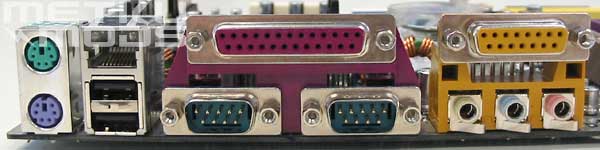
Connectors
Again nothing special here. Two PS/2 connectors, RJ45 for network, two USB2.0 connectors, printer port and two serial ports, game port and finally three audio connectors. All the basic connectors that are needed.
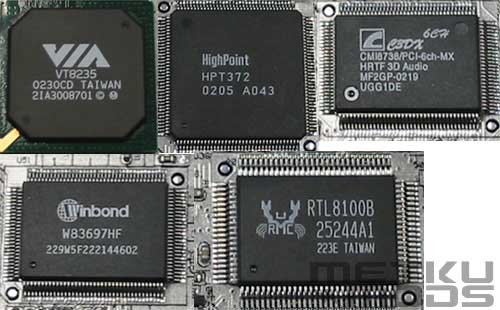
Chips
Lets see what integrated circuits we can find on this board:
- VT8235 VIA South Bridge handling all the basic stuff like USB2.0 and ATA-133.
- Highpoint HPT372 for RAID functions. It also supports hot swap of the drives
- C-Media's CMI8738 providing 6 channels and supporting direct sound and EAX
- Winbond W83697HF for the basic I/O needs
- Realtek's RTL8100B for the 10/100 network
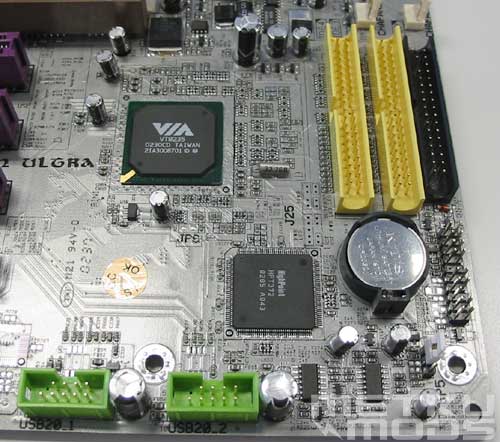
Motherboard connectors
On the bottom left are the two USB2.0 headers that provide total of four ports via the Sigma box. Also visible are the two IDE-raid connectors and a floppy connectors. On the bottom right you can see the white CMOS clearing jumper. Only thing that would need altering are those painted markings. On the right side of the image you can see the pin headers for the reset and power buttons etc. Paintings for these pins are located next to one of those IDE-raid connectors. Once you find them, they are easy to follow but they shouldn't be that hard to spot in the first place.
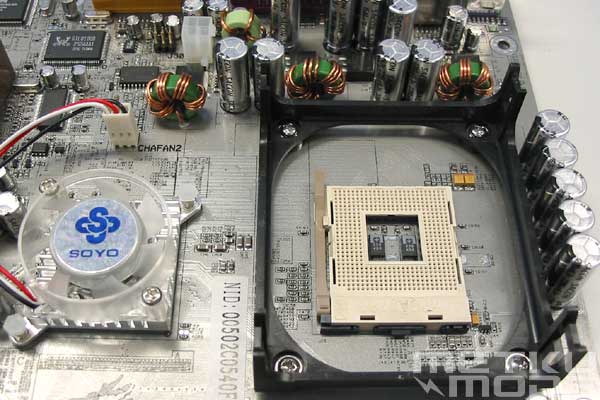
Active cooling
Soyo too has decided to use active cooling. Noise, noise and more noise I hear some people saying and while that is true I'm more concerned about the lifetime of these little fans. With this short testing period I didn't have any problems though. Also visible is ATX12V connector.
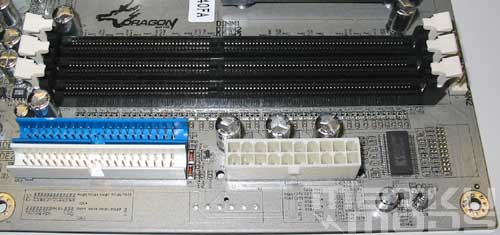
IDE + memory slots + power connector
Three memory slots supporting 3 gigabytes of DDR400 memory and two ATA133 connectors for your hard-drives and ATAPI-devices. Again a very clean layout.
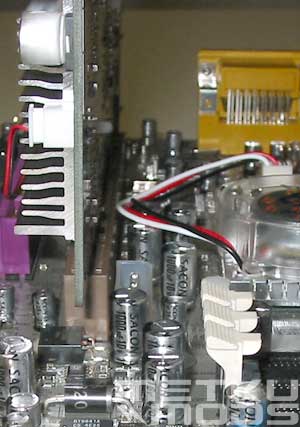
Plenty of space
Clean layout is beneficial in many ways. As you can see here, there are plenty of room to play with those memory modules without moving the AGP display adapter. Great going Soyo.
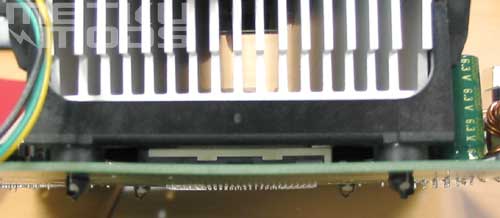
Motherboard bending
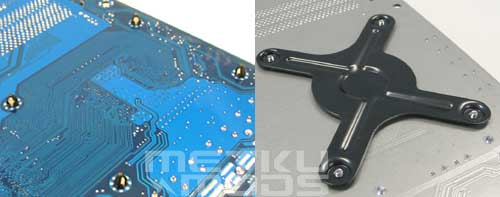
Left: Motherboard without support Right: With added support
When I first started to run the benchmark tests I immediately noticed how much pressure was applied to motherboard via the CPU socket. While that may not be that harmfull to the board there is still something that manufacturers can do to make it even more secure. Soyo is the only one who has used metallic support plate on the bottom side of the board to add support. Again a nice little detail that could guarantee longer life for the motherboard itself and it can improve the cooling a bit.
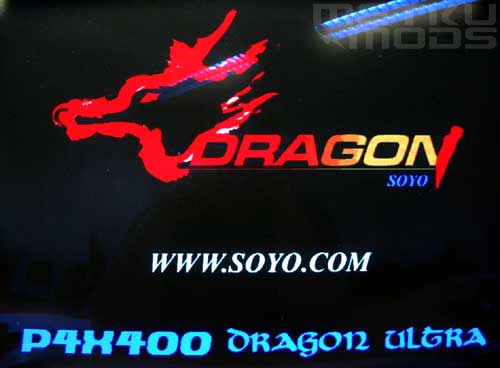
Boot logo
Soyo has also added a boot logo for their BIOS. Adds a more personal touch for the board but you can always switch it off via BIOS settings.
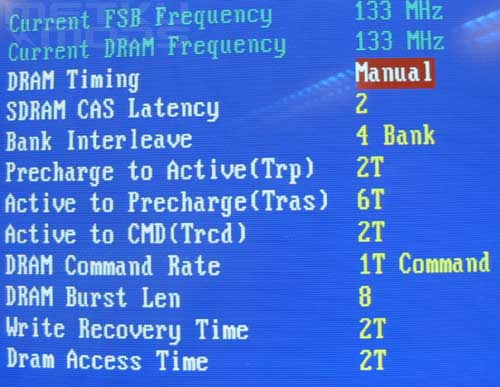
BIOS
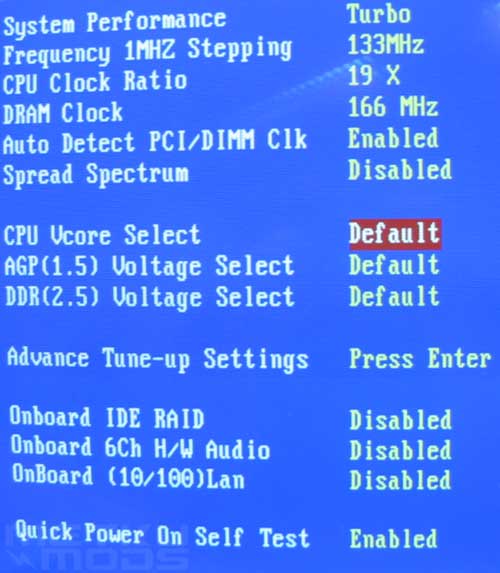
BIOS
Maybe not the best options for the overclockers but should be enough for majority of users:
CPU volts: Default, 1.100 - 1.850 (0.025 steps)
AGP volts: Default, 1.6 - 1.8 (0.1 steps)
DDR volts: Default, 2.6 - 2.8 (0.1 steps)
FSB: 133-165
CPU clock ratio: 8 - 50x
Dram: By SPD, 133, 166 and 200
| << Gigabyte GA-8PE667 Ultra | Benchmarks >> |
 | Pages: 1 2 3 4 5 6 7 8 |  |
 Content in english!
 Sisältö suomeksi!
