


|
|
Connectors
First half
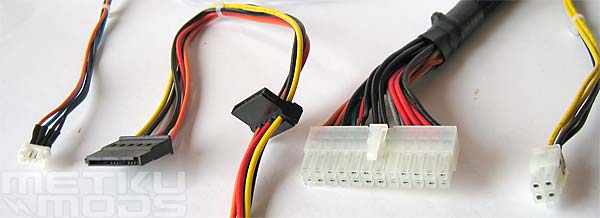
From the left:
- Power consumption display connector
- Two SATA power connectors
- 24 pin motherboard power connector
- ATX 12v connector
Now that SATA drives are getting more and more popular it is great that Cooler Master decided to add two power connectors for these devices. Something else bit different are the Power consumption display connector and 24 pin power connector for the motherboard. The first of these two is ment to hook up this new innovation from CM that offers analog view to the power consumption of all the devices that are connected to the PSU. 24 pin power connector is something that we have seen on server boards but now that Intel released their 915 and 925 chipsets the need for this same connector have moved to consumer boards too.
Second half
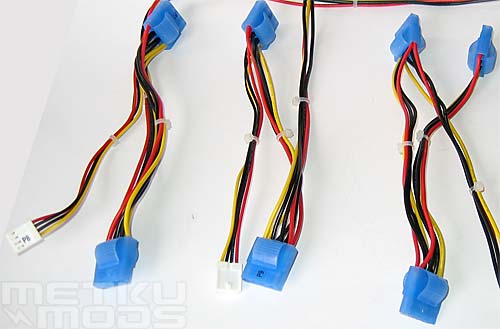
From here we can find seven 4-pin Molex connectors and two floppy power connectors. Can you notice the different shape and color of these Molex connectors from the ones that you may have in your system today? When we reviewed the XMod UV Reactive Molexes a while back we predicted that this innovative release mechanism will get adopted by the power supply manufacturers. Glad to see that we weren't wrong. :)
Seven connectors should be plenty and if you happen to have SATA devices you can use the included SATA power connector, leaving more free Molexes for other devices. Two floppy power connectors? Floppy drives are not that popular these days but it doesn't hurt to have couple of these connectors in case you happen to have a floppy drive and a GFX card that uses the same connector.
24 to 20 pin adapter
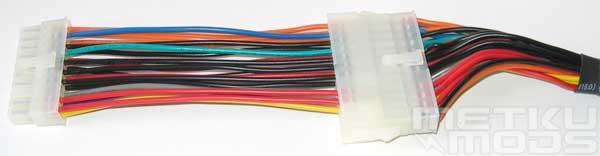
For those with motherboards that have regular 20 pin power connector the CM have included an adapter to convert 24 pin connector to 20 pin. Perhaps the wires of this converter are bit too long but its got more to do with personal preference. Shorter wires would mean less clutter inside the case but for most users this will not be an issue.
Power Meter
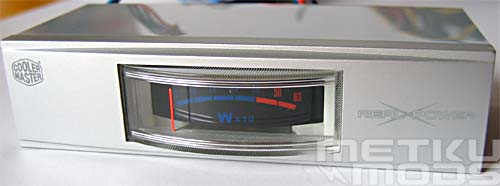
Power Meter
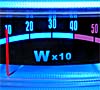
The thing that makes this Real Power bit more interesting over the others is this analog meter that will show you how much wattage your system is currently using. Marketing gimmick? Partly yes and no. If your system is functioning well, no random boots etc. there is no real need to see how close you are to the wattage limit of the PSU. On the other hand, if you are planning on getting that new display adapter that will be taking this and this much more wattage than the old card, it is nice to know how much spare you have left on your current PSU. Some users will find this innovation very usefull while some users may not install it at all. Perhaps the future will tell us how the users adopted this addon.
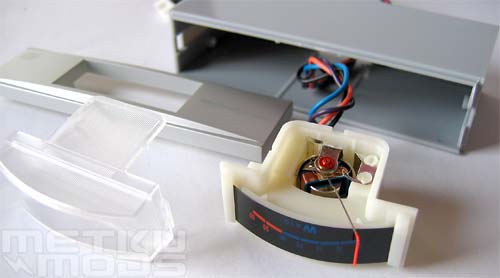
Inside
Just wanted to take the unit apart to show you what we can find inside. Nothing much actually. Analog indicator and one blue led installed on the side of the unit. For a modder it shouldn't be that hard task to change the led if one doesn't like the blue color.
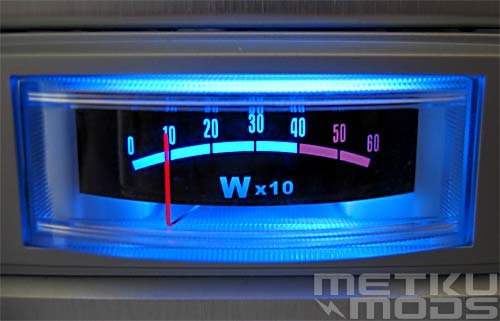
In Action
One bit annoying thing with this meter is that you have to look towards it directly from the front. The needle of the meter is bit far from the labels and you will get some error in reading if you look at it from the sides. On the other hand we don't have means to test how accurate this meter is in the first place so we just have to rely on its readings.
 | Pages: 1 2 3 4 5 |  |
 Content in english!
 Sisältö suomeksi!