


|
|
 In English
 Suomeksi
Software
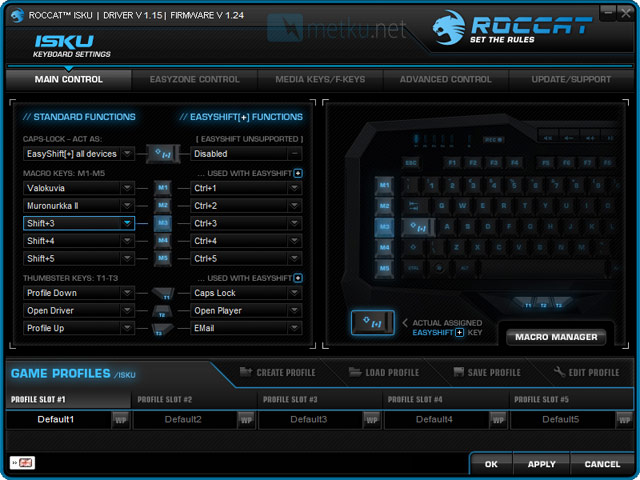
On the first tab there are macro key settings. You can configure M-keys, thumb keys (T1-T3) and also Caps Lock’s function. In one profile each key can have two different macros. The second macro can be activated by holding EasyShift key.
Configuring can be done either from the drivers or by using live recording. The software also has several ready macros for games and softwares. There are for example ready Photoshop macros.
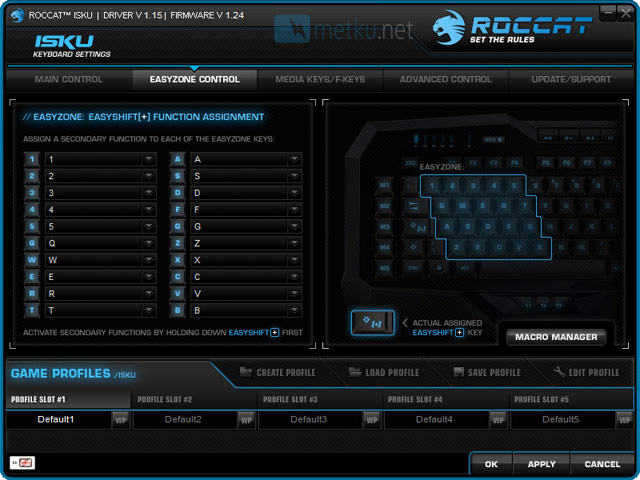
The second tab includes Easyzone keys configuration. Easyzone keys are 1-5, Q-T, A-G and Z-B. These keys can be freely configured and they can be used by holding EasyShift key.
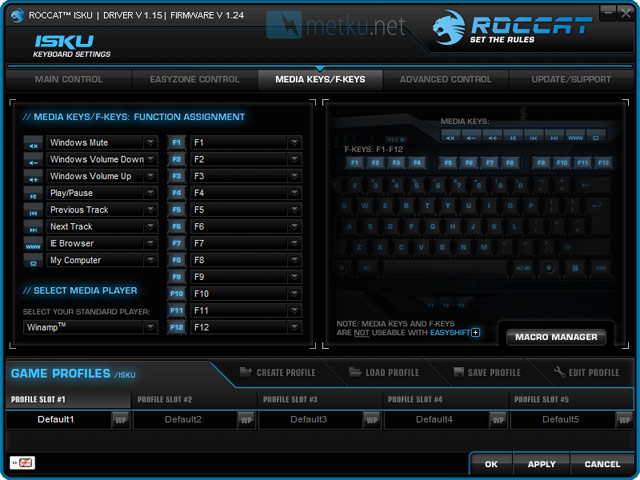
Next tab has settings for media and F keys. These keys can’t be freely configured so the configuration is limited. You can select for example Internet browsers controls, system shutdown or music player to the media keys. To the F keys you can configure for example timer, program quick launch or keyboard’s profiles.
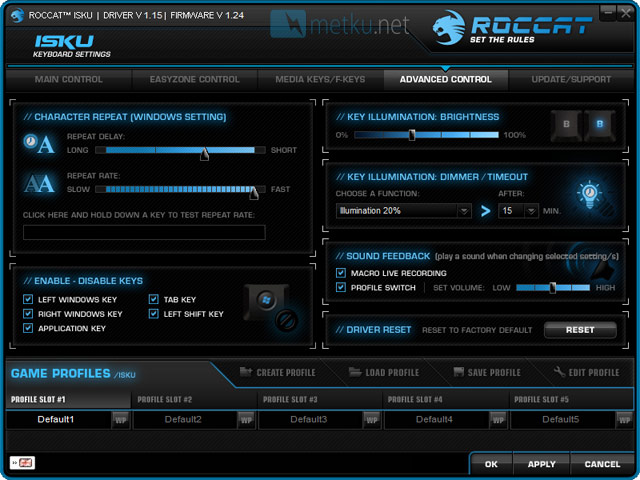
In Advanced control tab you can adjust the behavior of the keyboard. For example Windows keys can be turned off. The illumination of the keyboard can be accurately adjusted. It can be configured to shut down or dim after a certain time. The illumination has six brightness levels (0 %, 20 %, 40 %, 60 %, 80 % and 100 %).
From the Sound feedback section you can configure sound feedback. For example when you change a profile you can receive a sound feedback.
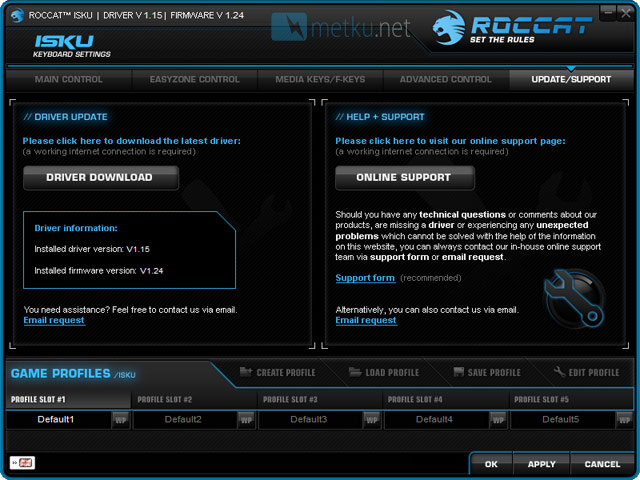
In the last tab there are information about current driver and firmware. Drivers and firmware can be updated via software by clicking Driver download button.
In case you have problems with your keyboard you can get to Roccat’s Internet site by clicking Online support button.
 | Pages: 1 2 3 4 5 |  |
 Content in english!
 Sisältö suomeksi!