


|
|

External looks
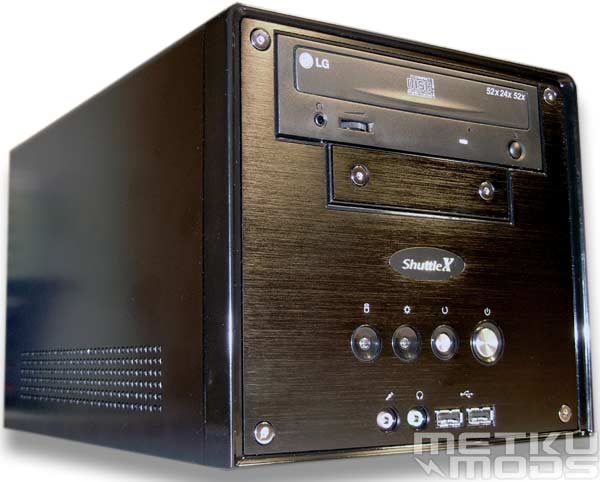
Pose
Amount of style in this case is just awesome. Color choice alone brings certain feel to the whole product and the black is just right for this one. One thing that you should notice is that the black faceplates on drives you are planning on using is a must. Sure, you can use those regular beige ones too but then the whole point on having black case in the first place seems kinda pointless.
On the each side of the unit are the holes that supply cool air. They do their job pretty well because we didn't have any problems with heat inside the case. Sure it is hotter than a regular case tower with temperatures just over 40 degrees centigrade but it will not affect the basic functions of the system at all.
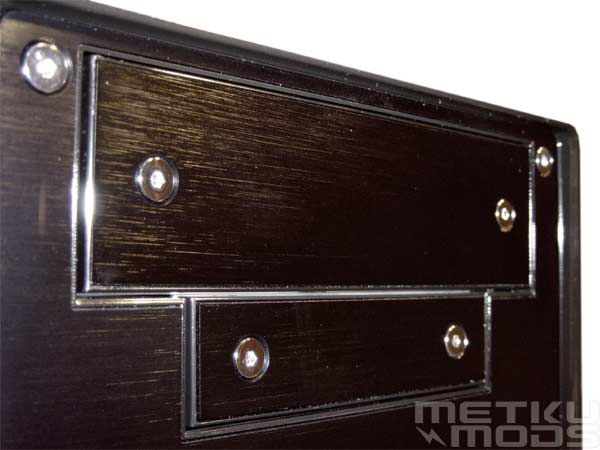
Texture
Face of the unit is made out of brushed aluminum. Texture seems really strong and is visible in almost any lighting. I think that this adds a nice touch to the whole appearance of the unit. Both, the 3.5" and 5.25" plates are supplied so if you want to stealth your drives, you are half way there.
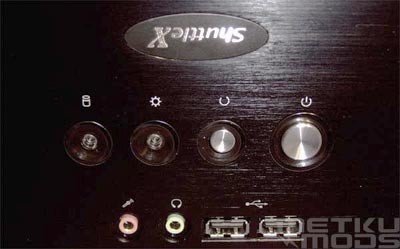
Anything wrong?
I thought that this was too funny to pass. Sometimes when the last quality checks are made, small things like this label might just slip by you unnoticed. :)
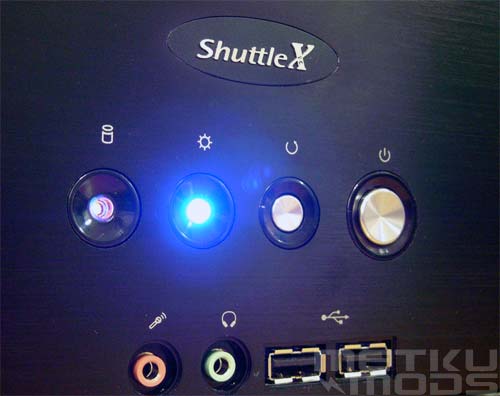
Led
From left to right: First we have the HDD led. Bright orange led that flashes when the drives are active. Second we have the power led. As the HDD led, it is extremely bright and I had to take this photograph angled a bit so that it wouldn't overexposure the frame. Next to this the reset and power switches. They are made out of metal and feel cool to the touch and look really stylish.
Beneath these we have connectors for microphone and headphones. They are color coded as the connectors at the back of the unit. Next to these we have two USB2.0 connectors where you can plug in those different USB devices like external CD/DRD-burners, memory card readers, digital cameras etc. No Firewire connector? Personally I don't give that much value to these Firewire ports at all but for many people using digital videocameras they are essential. Although this models doesn't offers those ports they can be easily added with PCI addon card or you can buy a different Shuttle model that has these connectors build-in.
Back
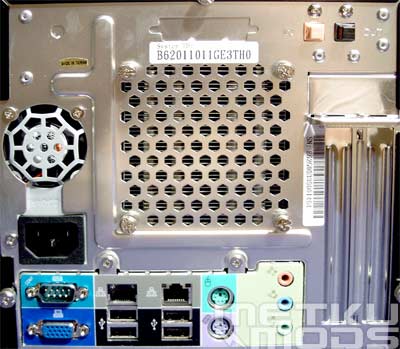
One thing that catches my eye immediatelly is that punched fan grill. This is usually the first place that gets modded in these barebones. By removing the grill you can lower the temperatures inside the case by couple of degress so hopefully Shuttle will do something about this in the future. On the left there is a separate fan opening for the PSU fan. Top right corner houses the two SPDIF optical connectors; One for IN and one for OUT. This is good news to those who like to input high quality sound from for example MiniDisc players. Below the connectors are located the two backplates for PCI and AGP cards.
Connectors
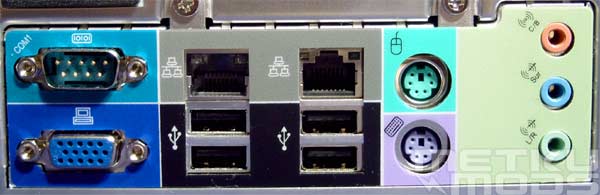
Unit offers one 9-pin serial port. Inside the unit is header for Centronic printer port but for default there isn't any connector for it outside the case. Not that many users have need for it any more because most modern printers doesn't even provide it. Below the serial port is located the VGA connector. Unit offers build-in graphics capability with Intel Extreme Graphics 2. It isn't the fastest chip around but for people doing mainly office work and using resolution 1024x768 and down it should be usable.
Next we have two sets of RJ45 connectors. Two? Because prices of these LAN chips has gone down and more and more people are getting connected by wideband, it makes sense to offer two connectors. You can, for example use the unit as a router that provides internet connection to your other computers. Below there are four USB2.0 connectors that with those two connectors at front, combines to six USB2.0 connectors in total. This should be plenty for most users and you should not have to use any USB hubs etc. any more to get all your USB devices connected.
Can't seem to find computer without these; PS2 keyboard and mouse connectors. Correctly color coded to make the installation easier. And last on the right we have three stereo connectors for different audio setups. You can change the behaviour of these connectors from audio drivers. Two examples:
|
| ||||||||||||||||


Quick note about audio quality. Some users have reported some problems with build-in audio that these small barebones offer. I wasn't able to confirm this, not at least with this unit. Everything was running smoothly without hissing and popping. I can't refer myself as professional when it comes to audio but those who are will appreciate the PCI card slot found on the motherboard. You can easily hook up your favorite sound card and enjoy the quality that it can offer.
 | Pages: 1 2 3 4 5 6 7 8 |  |
 Content in english!
 Sisältö suomeksi!