


|
|
 In English
 Suomeksi
Installation
Old way
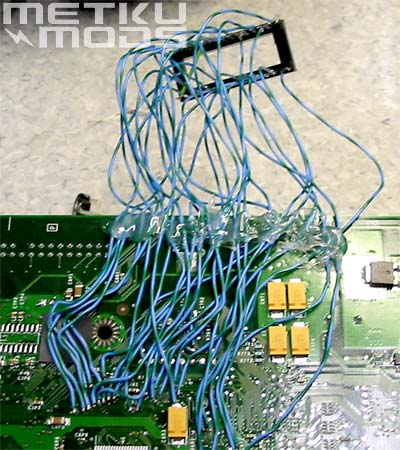
Heh, just kidding. :) I just had to show this image of the first generation mod chip that I installed to my Xbox when the console was launched. These days the process is A LOT easier.
LPC-rebuild
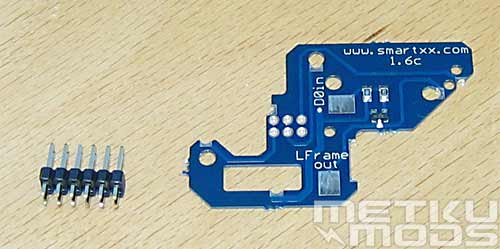
As the Solderless Adapters were just recently made available for version 1.6 motherboard, our sample was supplied with a soldering template. I really don't mind this because by soldering the pinhead to the motherboard via this easy-to-use template the installation is bit more permanent and I don't have to worry about any contacts getting loose when I move the console. But you have a choice, solderless or not, SmartXX supports both.
Installation
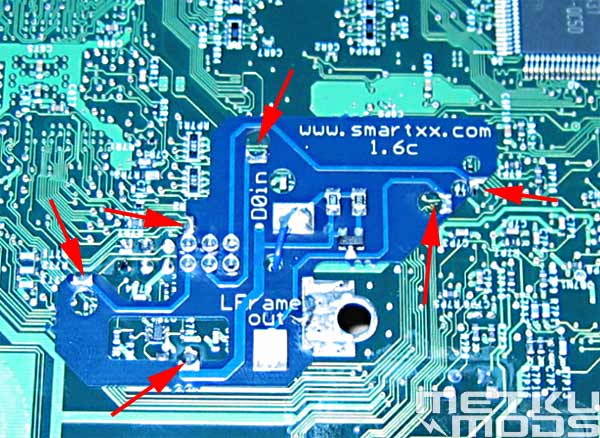
Just place the pinhead and the soldering template on the motherboard. All the instructions are included in the package so I'm not going to go the process in details. You just need to know that all the needed solder pads are automatically aligned and only thing needed from you is bit of heat and solder to each point. This all will take less than a minute to complete.
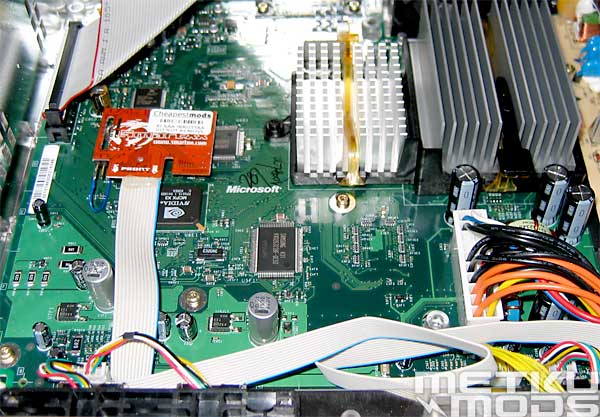
Installed
Turn the motherboard over and insert the SmartXX V2 to the pinhead and you are done. On the next boot you will see the SmartXX menu instead of Xbox's original one.
As you can see there is a gray cable coming from the modchip and going to the front part of the console. That is the interface cable between the modchip and the LCD module. I'll show you how to install the LCD in a moment but first the IR Mod.
IR Mod
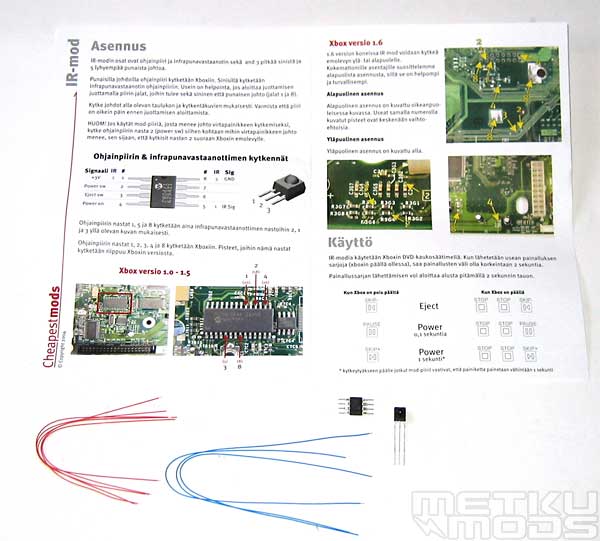
Content
I decided add this part to the article after I was already written it. This IR Mod is so simple but also so effective so I just had to include it here. The idea is that with this mod you can use the Microsoft's DVD Remote control as a remote power button. It can be quite annoying to have to go to the console to reboot it when you want to change the game if you don't have this mod installed. You can as easily start the console from your couch when you want to watch a movie. This mod is available as a complete kit from Cheapestmods.com.
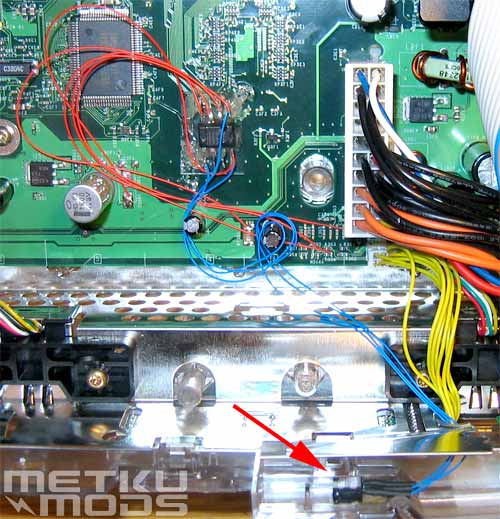
Installed
You start by placing the IR Sensor to the front of the Xbox so it can see the remote signals (red arrow). Soldering the chip itself is bit harder job than the installation of the SmartXX Modchip but it shouldn't be anything overly complicated if you have soldered before.
The chip will then interpret them and turn on or turn off the console. For example PAUSE button will work as a power on button and key combo of STOP STOP PAUSE will turn the console off when it is powered up. Why the combo? Because you may have for example a DVD playing and it makes sense to give a bit longer combo as power off command than just one button that you may need to press for some regular DVD function. And this all because Microsoft didn't include a separate power button to their remote.
 | Pages: 1 2 3 4 5 6 7 |  |
 Content in english!
 Sisältö suomeksi!