


|
|
 In English
 Suomeksi
LCD
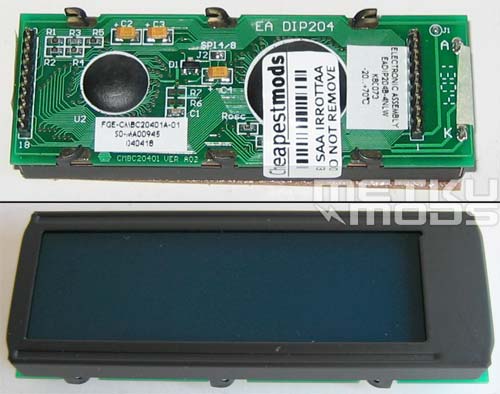
4x20 module
Cheapestmods.com that provided the SmartXX for our review also offers this White on Blue LCD. It is an Ascii module with 4x20 char layout. Most of the parallel Ascii modules are compatible with the SmartXX but it is safer to buy a tested module together with the modchip.
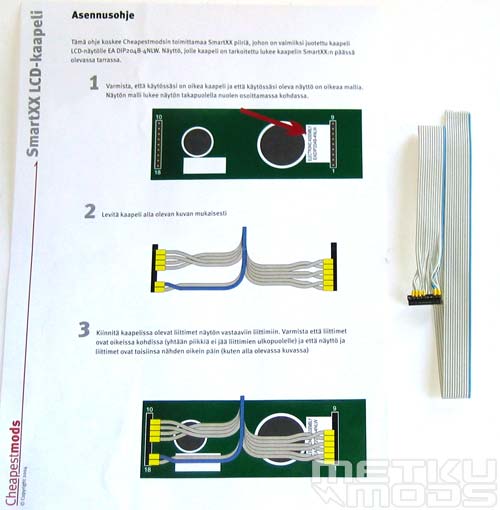
Instructions
If you buy the module at the same time you order the modchip, Cheapestmods will make the connection between the LCD and the modchip for you. Otherwise you are needed to solder the other end of the cable to the modchip yourself. Not that difficult task but why do it if you can avoid it?
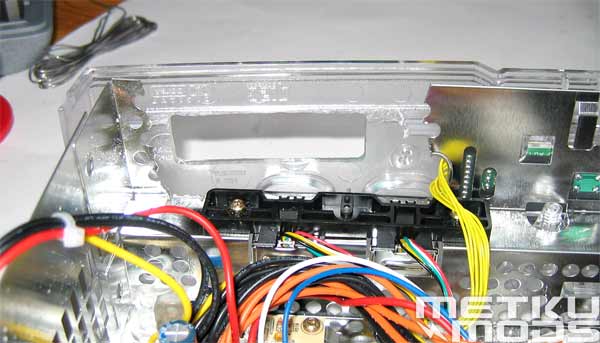
Mounting
Most people seem to like to install the module to the right side of the front panel. Just above the two controller ports. Hack a way bit of metal and cut an opening to the outer shell. Hotglue works great when you are ready to mount the LCD more permanently to the hole.
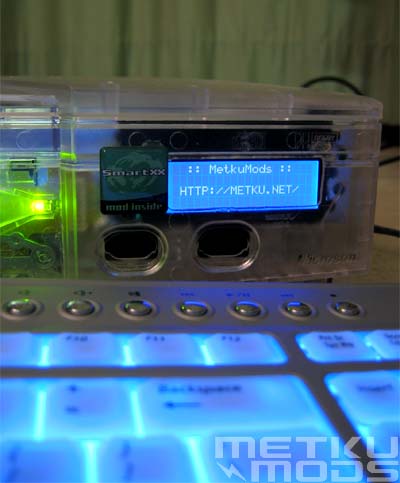
Up and Running
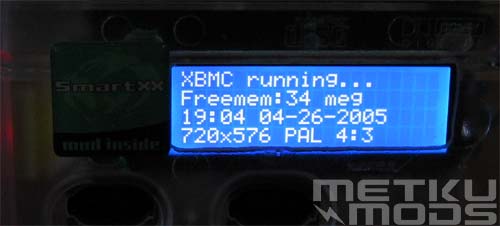
XBMC Main
Startup display from the XBMC. Tells you time, resolution etc.
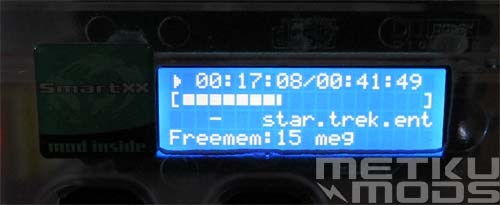
XBMC Video status
Will also show the progress of the movie you are watching or the song you are listening. Artist, track, title etc. are also shown. Very handy if you don't want to turn on the TV. You can make all the selections from the LCD alone.
 | Pages: 1 2 3 4 5 6 7 |  |
 Content in english!
 Sisältö suomeksi!