


|
|
 In English
 Suomeksi
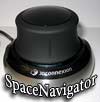
IntroInvention of the computer mouse must have been one of the biggest innovations in the field of computer related hardware. This rodent kept the same basic design for a very long time but this all have changed now. Regular computer mouse is good for many things but still there is room for improvements. This is why there are other pointing devices that try to specialize to do certain things. We have tablets, trackballs, jog dials, joysticks, pointing sticks etc. In this review we will be taking a look at 3DConnexion's six degrees-of-freedom controller called the SpaceNavigator. This is the latest model in 3DConnexion's product lineup and it is aimed for, like they say on the company's website: "for architects, artists, students and anyone else who wants to enjoy the 3D experience." |
3D Navigation

Image by 3DConnexion
3D Navigation, like the name says, adds a new dimension to the regular 2D navigation. With a mouse, one can pan but that is pretty much it. With an input device that allows 3D navigation, user gets more intuitive control over the objects and items on the screen. For example, if you have a game where you can control the camera. Usually you need to press for example the scroll wheel down and then pan the mouse to move the camera. With 3D controller you just rotate, pan, zoom and tilt the camera like you were holding it in your hand. Better yet, all this happens simultaneously.
When I was trying to get my wife to master the SpaceNavigator, I found that the best analog was to make her think that she were holding a spherical webcam on her hand. When one pushes the "camera" towards the table, the virtual camera on the screen goes closer to the ground. Rotate the "camera" and the view on the screen rotates. Easy and intuitive for most uses but for others, 3D may feel bit confusing.
Package and content

Unit we have this time is the PE (Personal Edition) model. One can also get the SE (Standard Edition) model that is more expensive but comes with a full commercial licence and full support. PE has only online support and is meant for personal and educational use.

Inside the box we can find the SpaceNavigator, utility CD-rom and three Quick Start Guides. Interestingly the SpaceNavigator is supported by Windows, Mac OS X, Linux and Unix. Most of these specialized controllers have very limited cross-platform support but 3DConnexion stepped up and even offers SDKs for their products.
 | Pages: 1 2 3 4 |  |
 Content in english!
 Sisältö suomeksi!