


|
|

 In English
 Suomeksi
Insides

Inside it's the usual layout with the power supply at the bottom and drive bays along the front. There's only one fan bundled with the case and as stock it's mounted to the front panel, which is a bit odd. Usually the single fan is placed as an exhaust fan. It might have an effect on the temperatures if you moved the fan to the back, but really I just recommend getting one or two extra fans with the case.
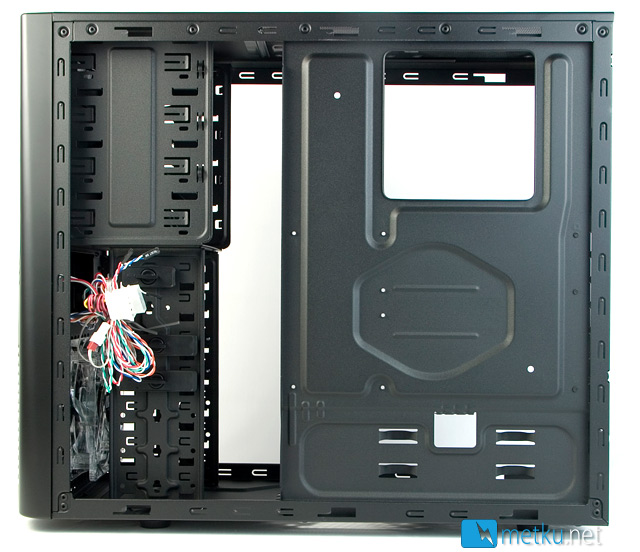
On the rear side of things there isn't much to see. On the motherboard tray there's a large hole for mounting the CPU-cooler. Behind the 3,5" drive cage there's plenty of room for the excess cables, but other than that there really isn't any cable managing to talk of.
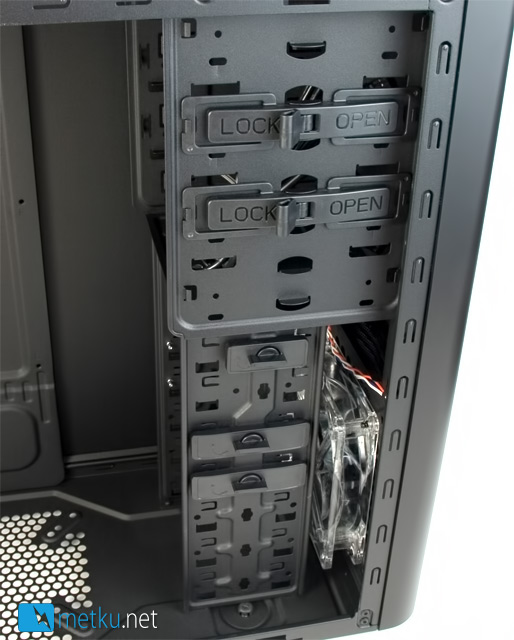
Cooler Master has taken a bit strange approach on the drive bay quick locks; you get only two tool-free locks on the 5,25" bays, two for hard drives and also one for external 3,5" device. These quick locks can be moved around to other drive bays if needed, and also removed altogether if you rather use normal screws.
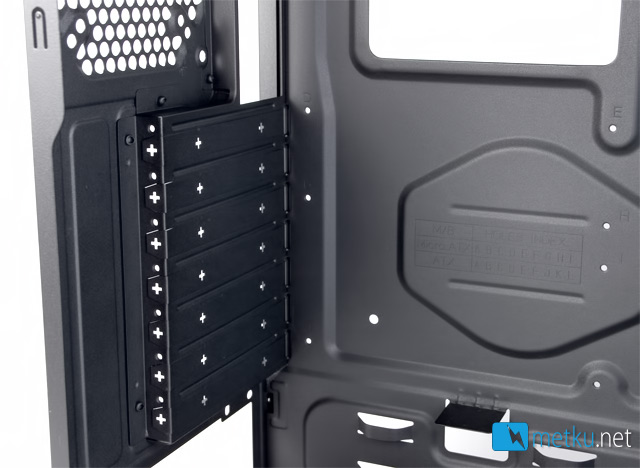
Another budget touch are the PCI-cover plates that need to be removed by using some brute force instead of the usual screw/quick lock. This isn't really a problem when first building the setup, but when you already have some cards in place, forcing the metal covers off is pretty hazardous. Overall not exactly a detail where I would have saved money.
 | Pages: 1 2 3 4 5 |  |
 Content in english!
 Sisältö suomeksi!