


|
|

 In English
 Suomeksi
Compared
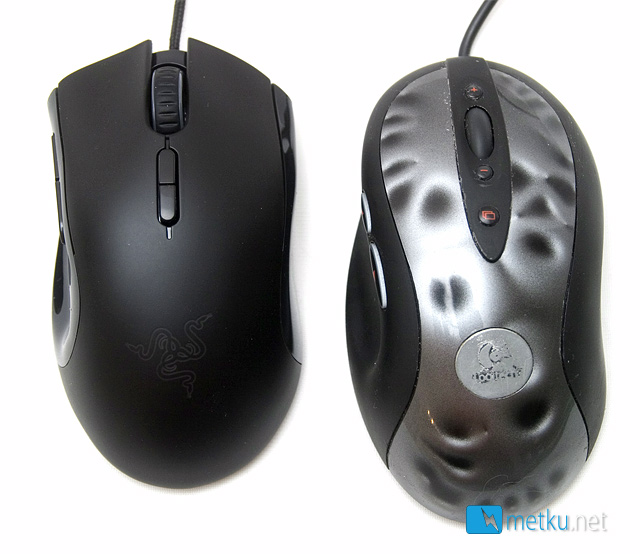
In comparison to the very popular Logitech MX518 one can see what I means when I said it's small. Not exactly laptop mouse, but still shorter than the Logitech. On the top of the Imperator are the rubber-coated wheel and two buttons for changing the sensitivity up and down. Also there's a pulsating blue Razer-logo, which shows only very faintly when the mouse isn't plugged in.
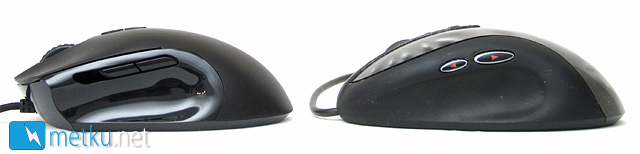
The side comparison shows the fairly similar profiles of the mice. The rear feels very much alike, and with the thumb buttons positioned in the same place, also that side is very similar. Anyway the front end of the keys is shaped differently, which has the biggest impact on the overall feel and makes the MX518 feel larger.
Software
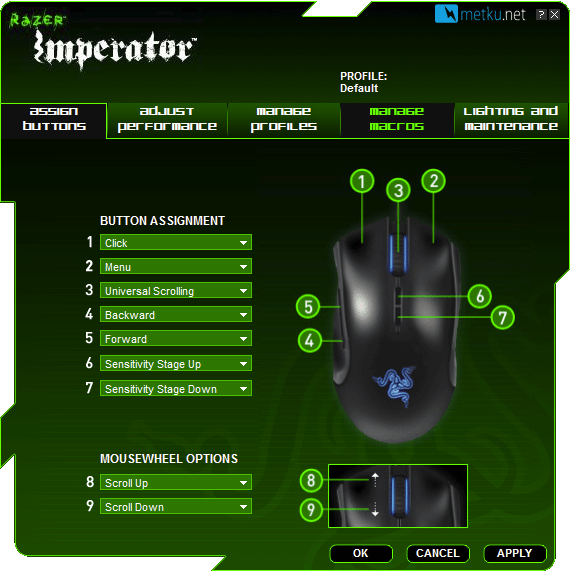
The software is gaming-themed and lets you change the button functions, macros, sensitivity and thankfully also the lighting on the mouse. Ranging from 100 to 5600 DPI the sensitivity can be individually set for both Y- and X axis with 100 DPI intervals.
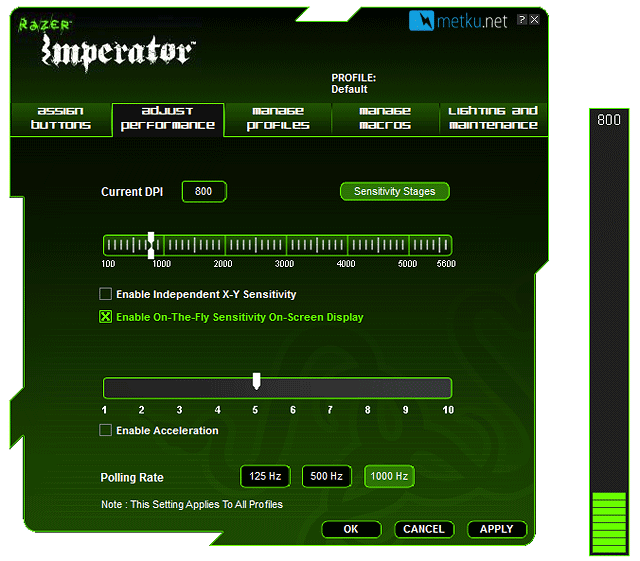
One fancy feature the software can do is to show a DPI-overlay when changing the sensitivity setting. In the Microsoft Sidewinder series mice and some other models the same information is shown on a small screen on the mouse itself, but I reckon it's easier to see the bar on the main screen while playing, than to take a look at the mouse itself. Maybe not as fancy looking, but also helps keep the price down.
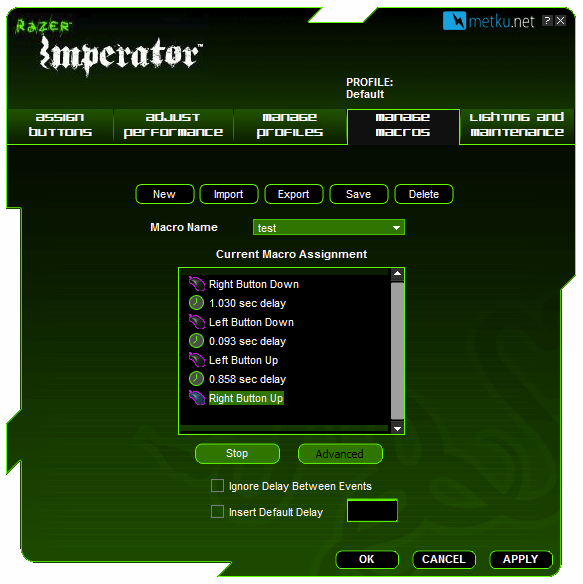
Recording macros is the usual deal with settings for delay between the keys and a screen where to enter the stuff you need to get done. Very straight forward.
 | Pages: 1 2 3 4 |  |
 Content in english!
 Sisältö suomeksi!