


|
|

 In English
 Suomeksi
Elite 430 Black

Out the box the Elite follows the already very familiar theme of black plastic, huge amount of ventilation holes and also a side window. As the name suggest, the cases is black inside and out, with the paint job being of the flat variety. Overall the theme is very discreet, with the side panel window being the only truly eye-popping feature.
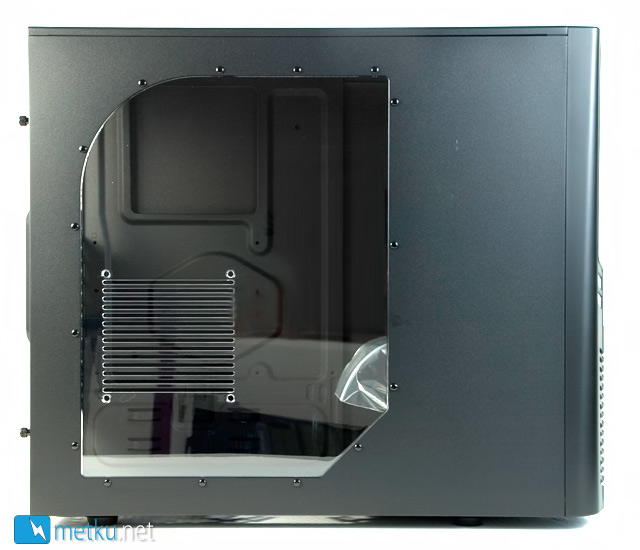
Cooler Master has shaped a couple of corners of the window so it isn't perfectly rectangular. Just about where the graphic card(s) will sit, there's a hole for an optional 120 mm fan.
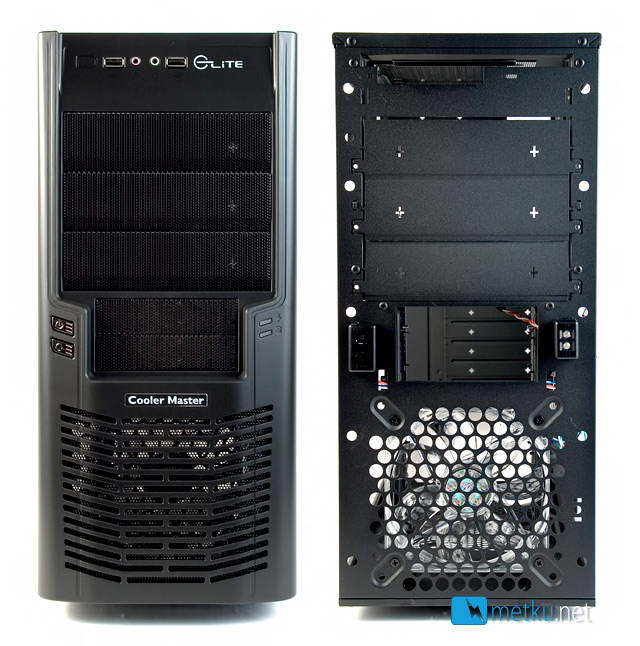
Starting from the top of the front panel, there are the two USB- and audio connectors, under those are three external 5,25" and two 3,5" drive bays. On the left side of the 3,5" bays there are the power- and reset buttons and on the right side are the power- and HDD-leds. Under that a Cooler Master-badge and ventilated area for the 120 mm fan.
The front bezel can be just pulled off from the bottom. Doing so reveals the 120/140 mm fan hole, as well as the drive bays with blanking plates. Oddly enough there are dust filters on the drive bay covers, but in front of the fan there's nothing but a pretty fine steel mesh.
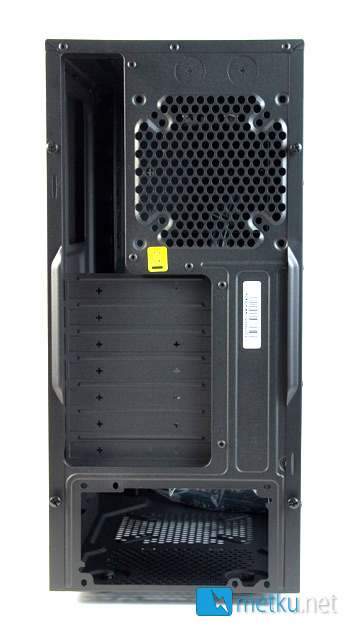
Looking around the rear and again starting from the top there are two holes for water cooling hoses, a fan hole for optional 80/92/120 mm fan, seven expansion slots and a power supply mounting hole where the PSU can be installed either way around. No ventilation holes other than the fan hole.
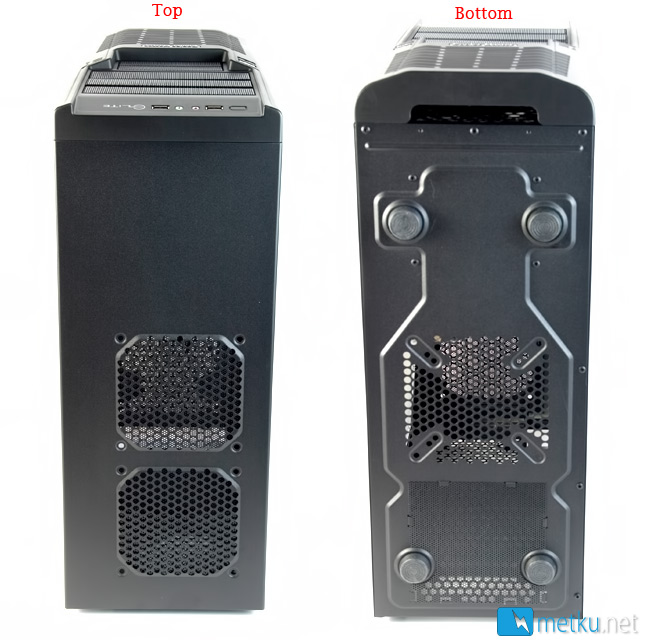
On the roof there's room for more optional cooling, this time in the form of two 120 mm fan holes. Overall the cooling is very similar to that seen in the Xigmatek Midgard.
And even more ventilation on the bottom. In the back there's hole through which the PSU can suck its air, and in front of that another 80/92/120 mm fan hole. You can also see the bottom of the front bezel is open for easy removal. Around the bottom there are four fairly low plastic feet.
 | Pages: 1 2 3 4 5 |  |
 Content in english!
 Sisältö suomeksi!